in addition to the above: if you start the CCAS App (CCAS App) on its own first and take a look → do you see Traffik in the app? Have you, in VFRnav (VFRnav) under Settings → Traffic data → Altitude filter + Radar range, defined these where applicable?
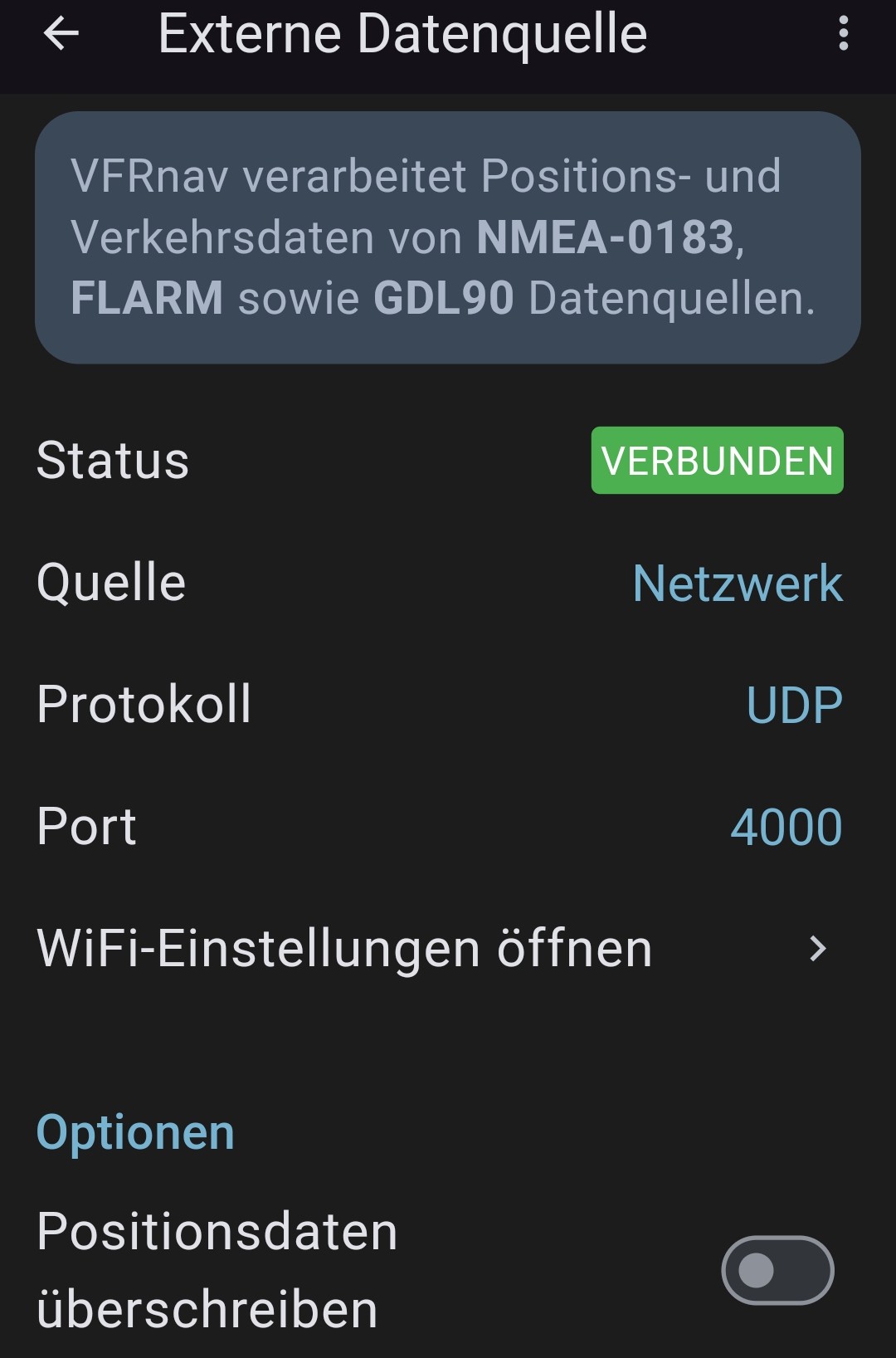
Otherwise, post a screenshot here of the VFRnav settings “External data source”.
I’ll go to the airfield again this afternoon
In the quick settings at the top of your device you can turn off the Wi‑Fi. That’s the same as being at the airfield with no Wi‑Fi. That way you can test it at home too
For checking: was the app running correctly in the background? …or when you brought the app from the background to the foreground - did you have to confirm the rules again? …if yes, then it wasn’t running in the background (I had that with a mate who had a Sony phone… searched for ages, it was a permissions problem)
Now that everything is working perfectly, I tried this on a flight.
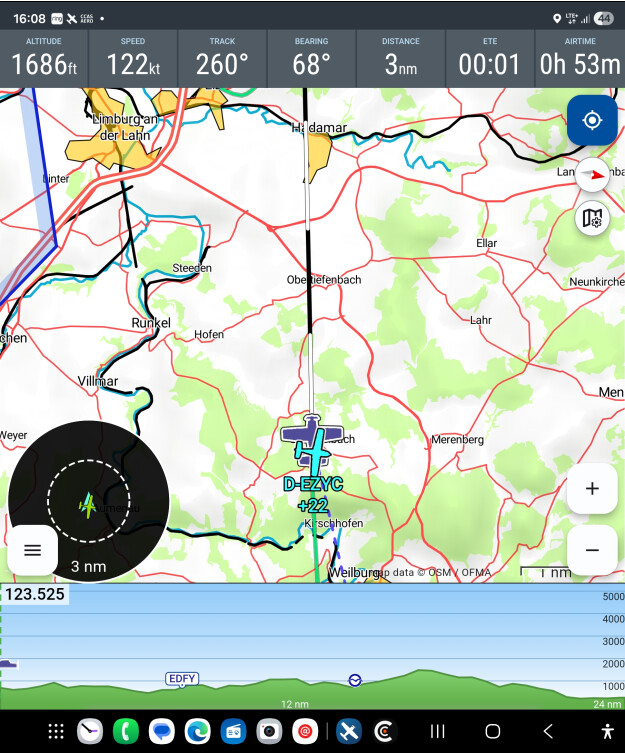
At first I got a fright when an aircraft appeared on the screen directly at my position, but I couldn’t see one nearby. On closer inspection the displayed aircraft had my registration, D‑EZYC. So my aircraft is shown twice, although not at all times. Is that normal?
The light-blue aircraft symbol with the identifier ..YC should be pointing in the direction of flight, like the dark-blue one in VFRNav. It also rotated in different directions.
…it should be overlaid on the VFRnav symbol and “move with it” — yes. …does it stay like that all the time, or does it “jump”? …sometimes correct, sometimes like that?…
…as a remote diagnosis I would say that this points to unstable data deliveries of the CCAS data. The data are transmitted via mobile data, after all. Clarification: isolated case? Check on the CCAS monitor display → does it jump here as well?
Note: Apps like CCAS or SafeSky are great! ..but they will never be able to replace on-board systems like Stratux or Powerflarmflex or even offer the same quality.


 …and now have fun!
 …I still don’t quite understand what you mean? ..do you mean the compass rose with the symbol? …