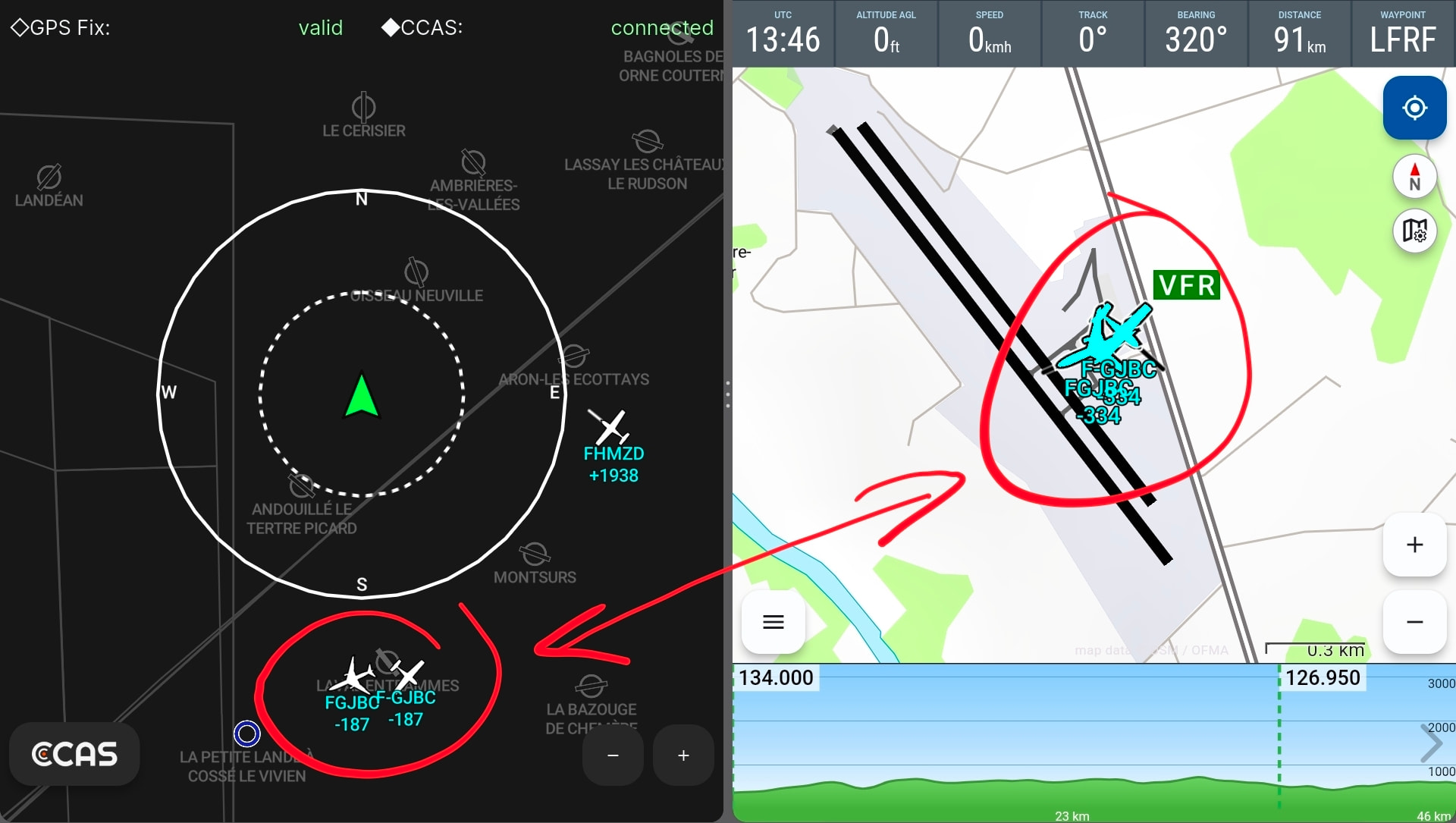
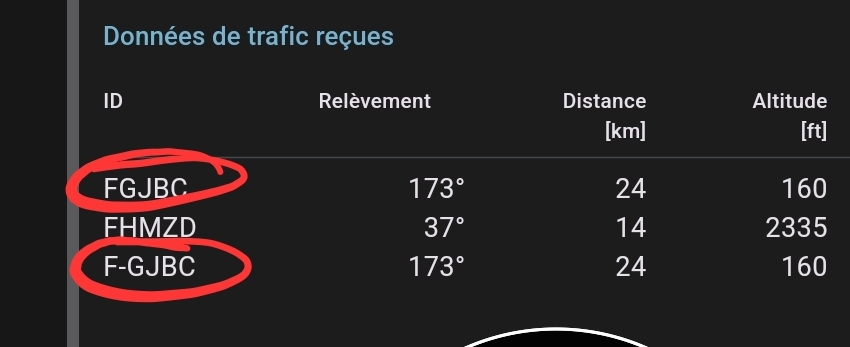
In the meantime I realized that some aircraft don’t display their altitude. They are therefore on the ground, and the few dozen feet of difference come from the altimeter setting.
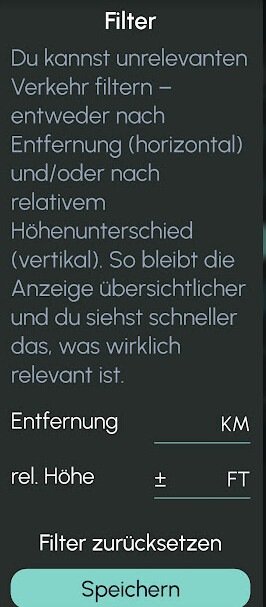
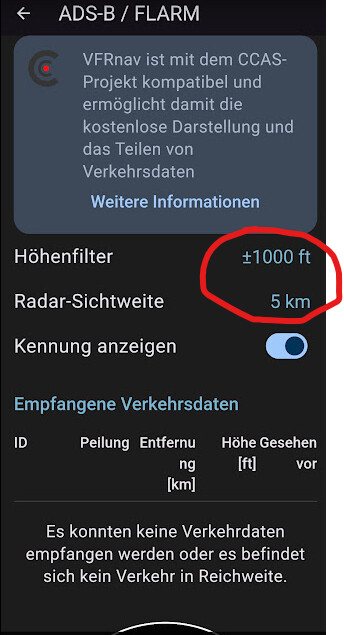
I’ve now adjusted the various filters, in VFRnav and also in CCAS.
I’ll test it in flight, maybe next Sunday if the weather permits.
…I personally fly with Stratux. When I use CCAS together with VFRnav, I don’t enter anything in the CCAS filter, but use the configuration options in VFRnav. → however, everyone can configure that as they wish.
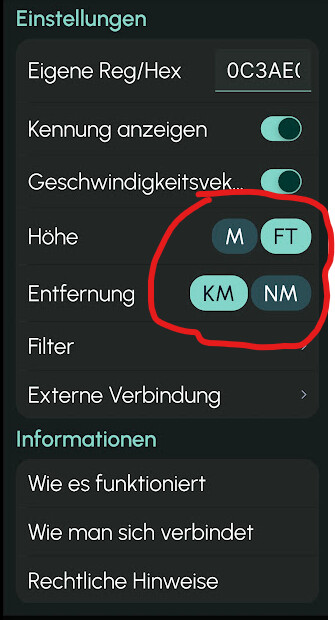
An error can occur, for example, if you don’t choose matching units.
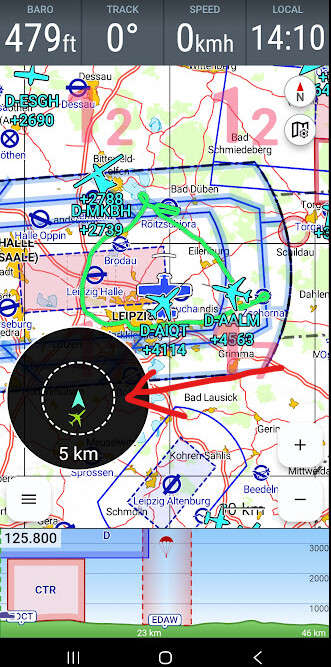
The displayed altitude value with sign does NOT mean the altitude of the displayed aircraft, but rather the altitude difference to your position. (+) …above you (-)…below you in the chosen unit (ft or m)
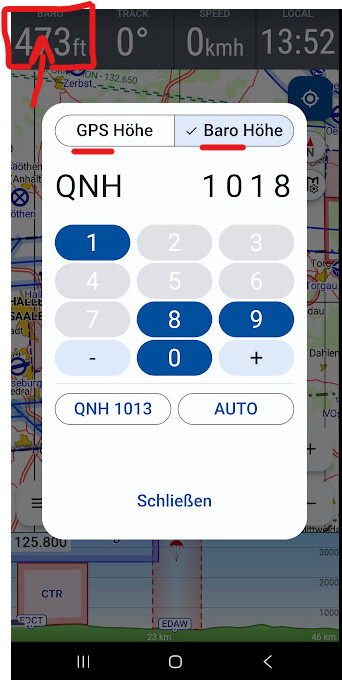
Another possible display error can arise from the choice of settings regarding altitude display. If you use a modern smartphone or tablet …or an external device with a baro sensor, there are these setting options:
Yes, your explanation helped me. Thank you very much.
I had found much of that this morning, but it’s very important to have received your confirmation to be sure I understood correctly. It will save me from redoing the settings fifty times!
I still kept two levels of filters. The first in CCAS so as not to display aircraft unnecessarily in VFRnav, but only those that aren’t too far away.
The second in VFRnav to manage the radar display (black circle).
Regarding altitudes, and as you say “the altitude difference” — because I hadn’t understood that (!) — I still have this problem with some airliners that are reported at my altitude but are much higher.
I need to dig into this issue to check whether they are displayed correctly in CCAS and not in VFRnav, or whether they are also wrong in CCAS. (And in that case VFRnav can’t do anything about it!)
I’ll do that this afternoon.
Regarding occasional ghost or tripled images, I’ll check that it’s not a screen refresh issue when there are brief network dropouts at the same time, since I’m sitting still in my chair I’ve already set the tablet to 4G instead of 5G.
But all that taken together, the final result remains excellent.
I love your motto “Regards and Simply fly” (simplify) and that’s what drew me to your app.
All the superfluous options only turn applications into toys, which become ever more complicated, and one must know how to resist what is of little use. It’s an art Well done for that!
To clarify: I am not the developer of VFRnav! That’s Hermann. …we keep in very close contact, though. Hermann is currently on a well-deserved vacation and will get in touch here as usual afterwards. Feel free to write your questions or suggestions.
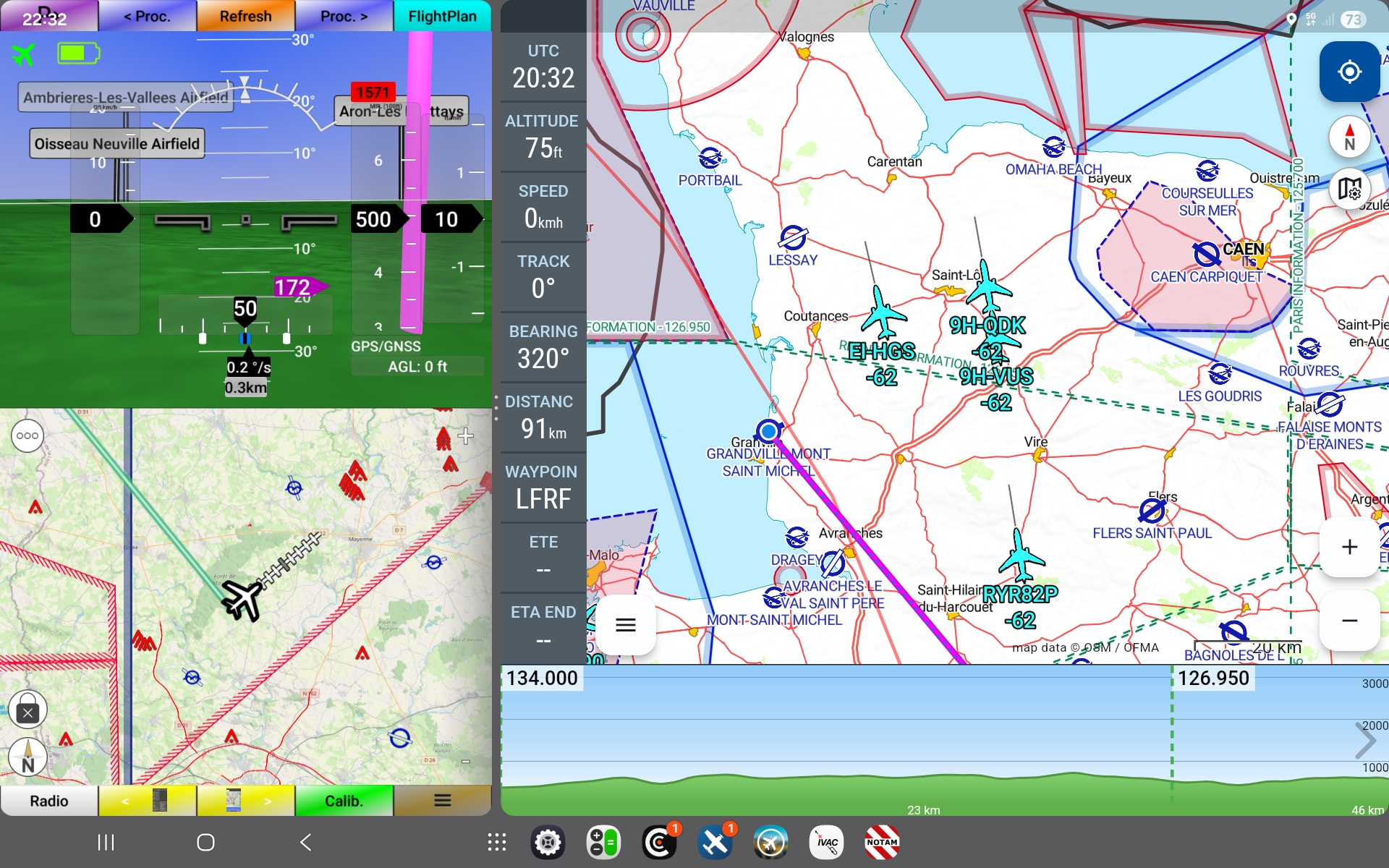


 I’ve already set the tablet to 4G instead of 5G.
 Well done for that!