Bluetooth adapter for Becker AR620X radios
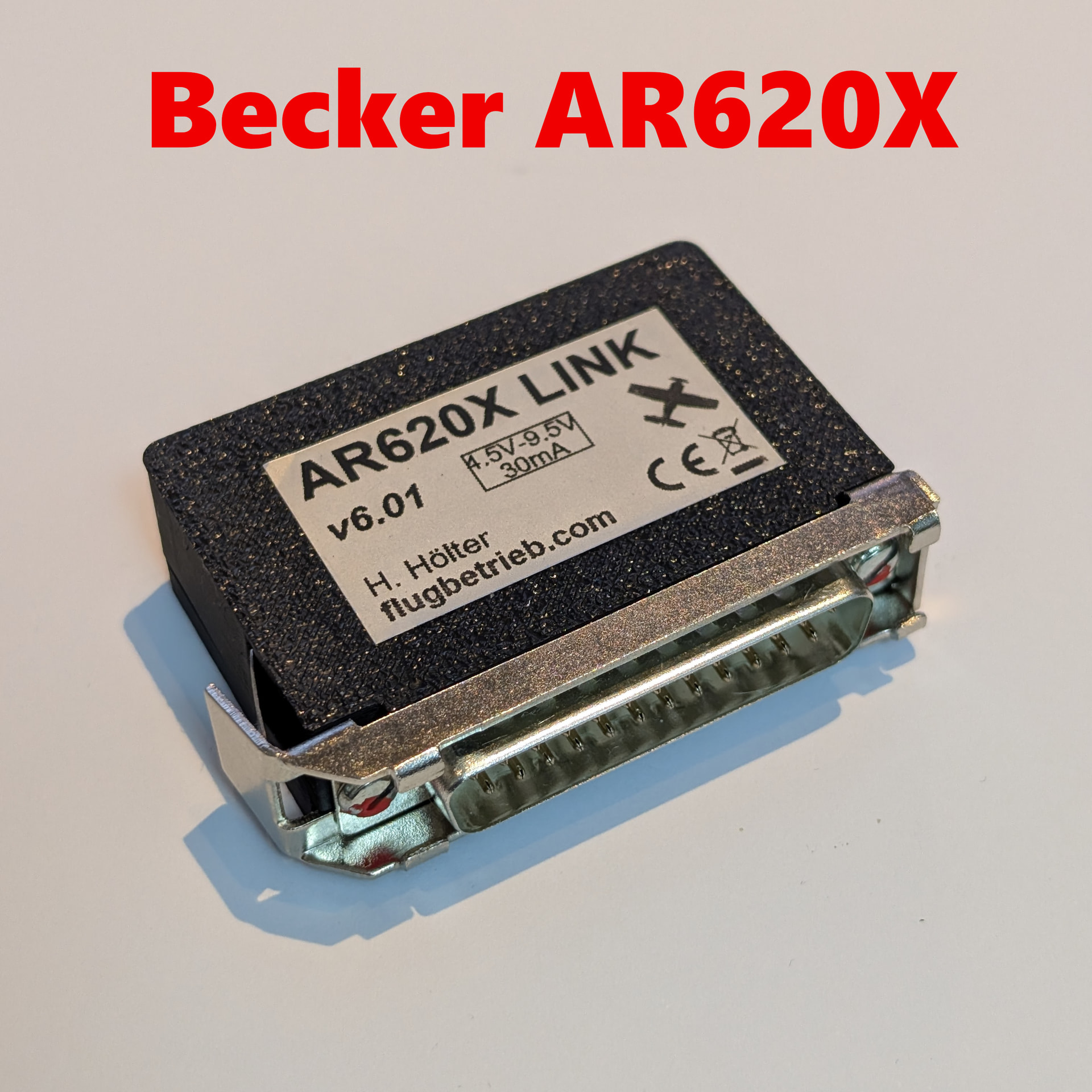
Our Bluetooth adapter supports the direct transmission of radio frequencies to Becker radios of the 6200 series.
AR620X Bluetooth Adapter in the shop
Requirements and compatibility
The following requirements must be met to use frequency transmission:
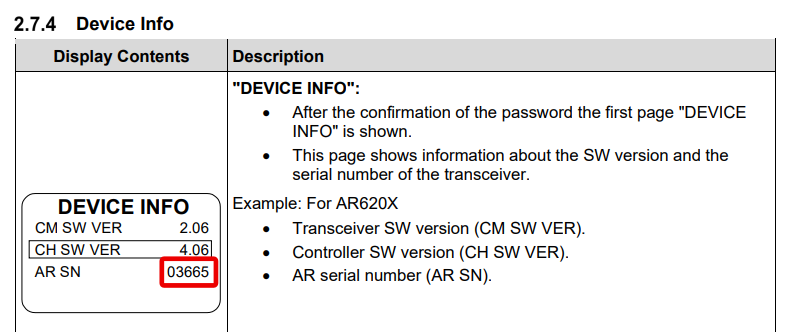
- The radio must have a serial number ≥ 03000.
- There must be no second control unit installed in the cockpit.
- The second socket “J1” on the radio must be free.
If these requirements are not met, the Bluetooth adapter cannot be used.
Check serial number and device configuration
The serial number and device settings can be checked directly on the radio:
-
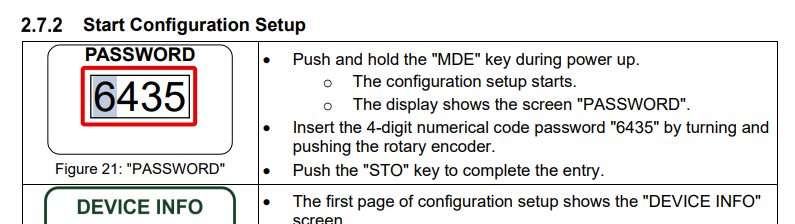
Switch on the device while holding down the MODE button (“MDE”).
-
Enter the value 6435 at the password prompt and confirm with the STO button.
-
On the subsequently displayed “DEVICE INFO” screen read the serial number from the “AR SN” line. This must be ≥ 03000.
-
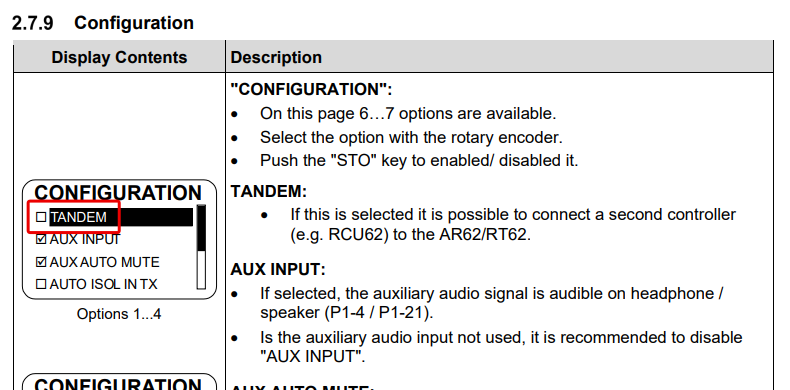
Turn the rotary knob further until the “Configuration” screen.
-
The “TANDEM” option must be enabled there.
Installation of the Bluetooth adapter
The Bluetooth adapter is plugged directly into the free J1 socket of the radio.
- The mechanical attachment is provided by a self-locking spring mechanism.
- No additional fastenings, screws or cables are required.
- After plugging in, the adapter is ready for operation immediately.
Note:
Installation must only be carried out with the power disconnected.
Becker 6200 user manual: