Every now and then CCAS appears as a fairly large circle in VFRnav even though nearby traffic is already sufficiently displayed on the map.
Sometimes restarting VFR helps, but not always.
Does anyone have an idea how to prevent this without completely disabling CCAS?
Hello Wasch,
You set the values for the appearance of the “Radarbox” (the black circle) yourself, entirely according to your own “sensitive” thresholds. For example, as in the image here:
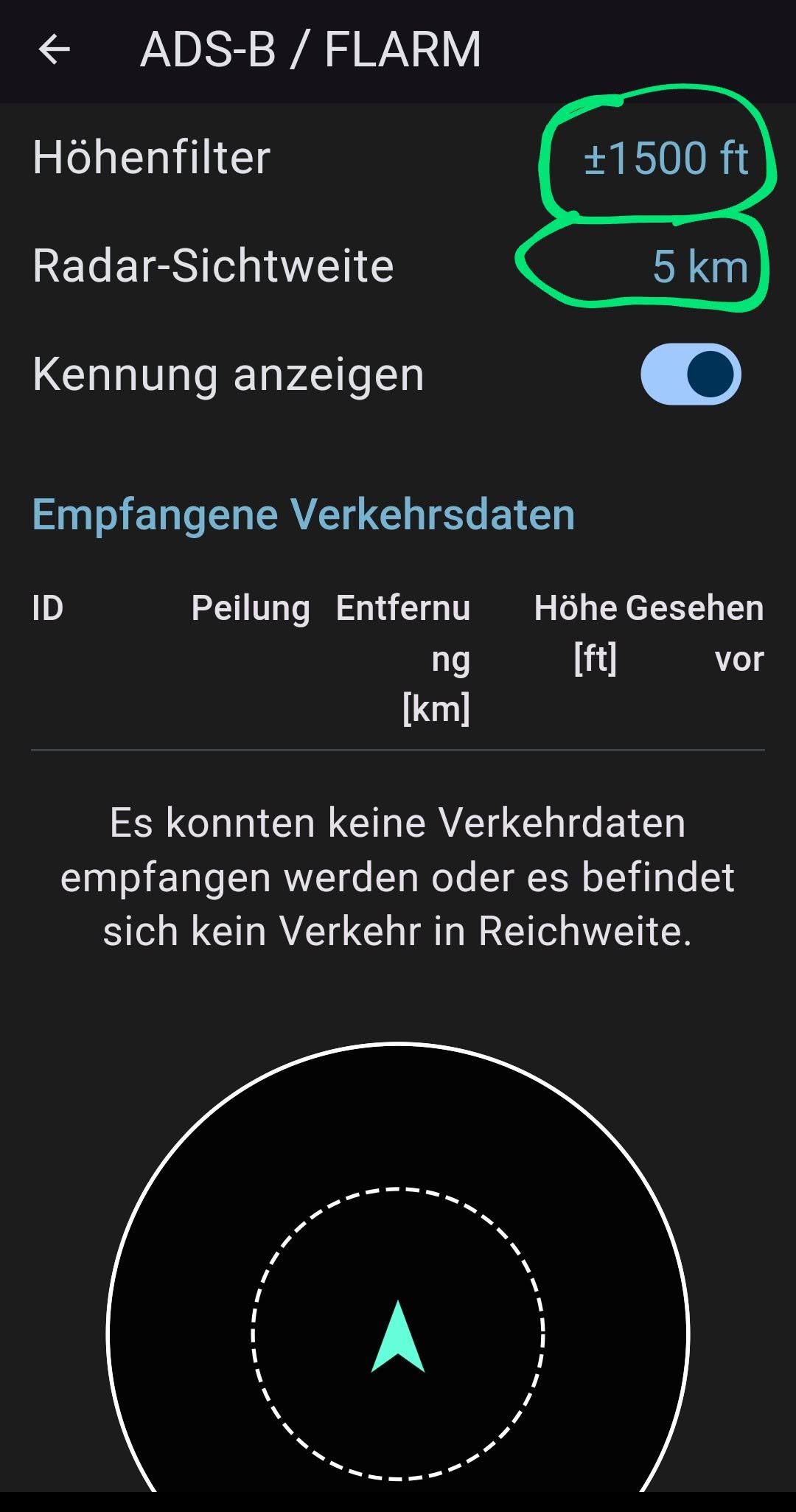
If you set very low values here, the circle will only appear very late.
Have you already tested your personally sensitive range here? I mean… live in flight?
Hinweis: you can use your fingers to spread apart and pinch together to change the zoom within the circle.
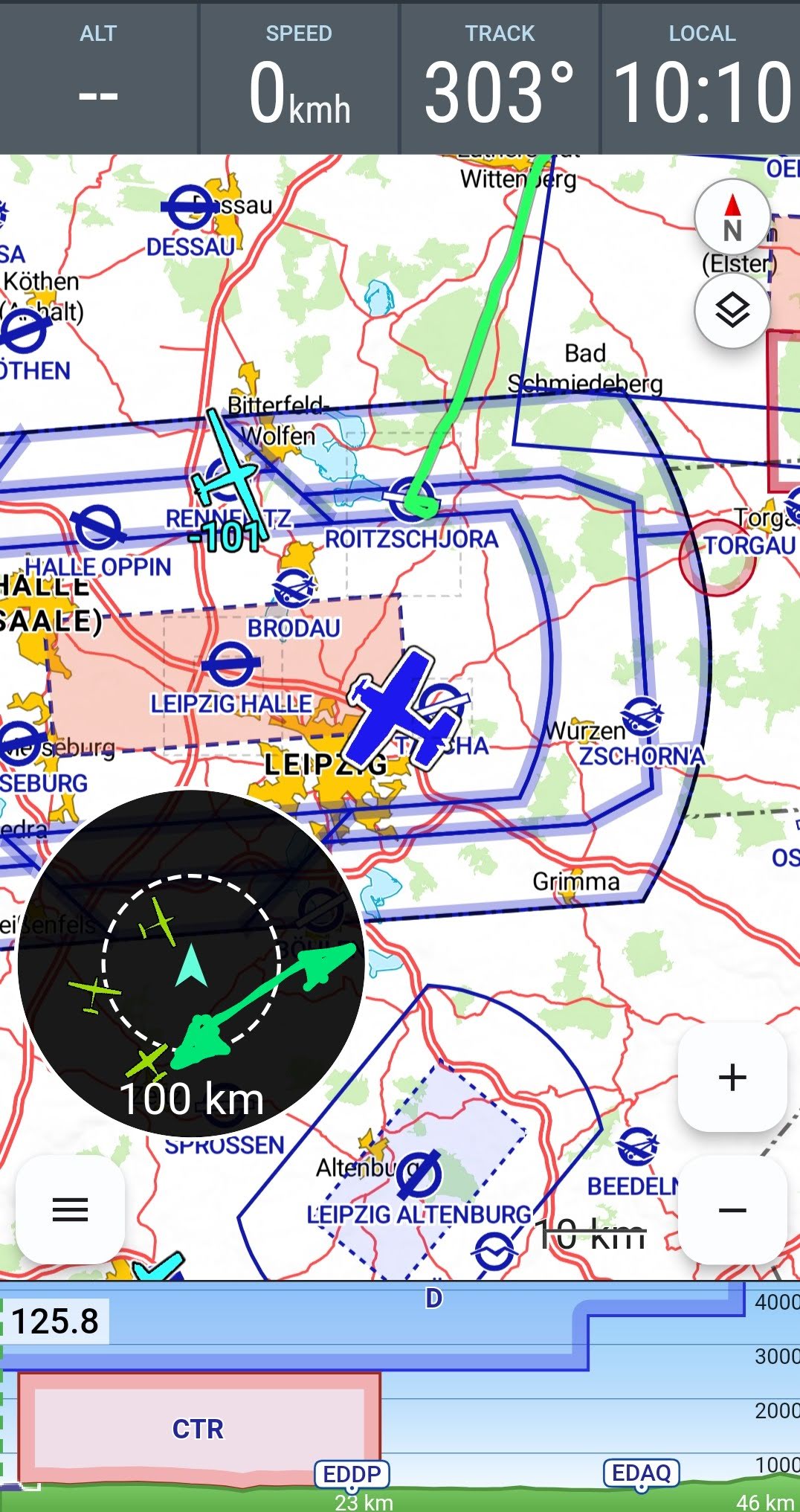
→ By the way, this topic has already been mentioned here in the forum. Hermann plans to colour aircraft that enter the defined sensitive collision area RED, which I also think is very good!
@Hermann: I absolutely don’t want to do without the Radarbox! Please make it optional according to personal preference. I’m not a phone flyer! Most of my fellow pilots fly with tablets. I have plenty of space on my tablet! I keep noticing that the box’s sudden appearance really grabs my attention. I’m genuinely curious whether a red icon would produce the same attention effect? → Yes, one could also make a red popup appear. But then what would be the difference compared to the box in which you can even see positions?
Another option would be to make the box optionally transparent (similar to the approach plates). That way, depending on taste, one can see the map underneath.
I think it’s great that Hermann can read different opinions on the topic.
That’s exactly how it should be. Hopefully more will share their views on this 
So:
- Near traffic RED = great
- box optionally switchable on/off = OK
- box completely gone =
 I’m sad
Flyer greetings,
simply fly
Karsten
1 Like
+1 ! Use a 9" tablet on the kneeboard too. The radar box increases situational awareness (SA)!
Hermann, I know from your email that you’re working on it and I understand it’s not easy to fit everything in. I totally get it!
One suggestion: Could we further distinguish between smartphone and tablet in the display here? So far, I’ve only seen the Traffic Radar on the tablet (and found it excellent). On the last flight I had CCAS on my phone, and I could then understand Wasch’s question as well.
In the end, it’s no problem; as Karsten described, it can be hidden, but perhaps it can be further differentiated by screen size.
Just a suggestion  I’m very, very, very sure that Hermann will deliver a perfect solution for us here
1 Like