For your information, when updating the map earlier this week, TMA1 appeared with a red line and a blue line superimposed. I had concluded that it was fixed, but on the second launch of the app there was only the red line. I then realized it was a bit more complicated
Thanks to you
Apart from this particular point, if I understand correctly in general:
TMA in blue indicates a type E TMA
D in blue indicates a type D TMA
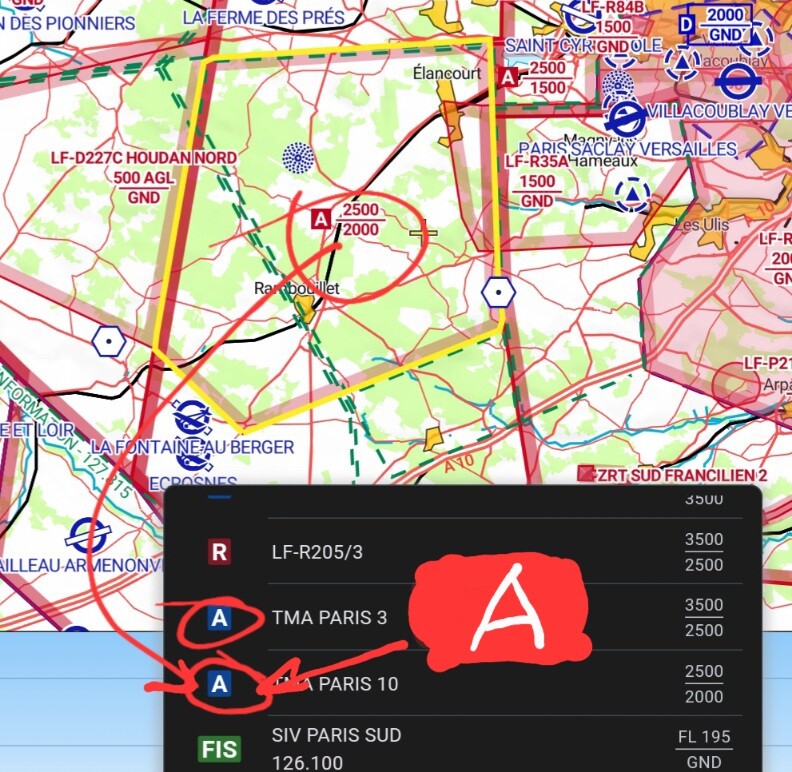
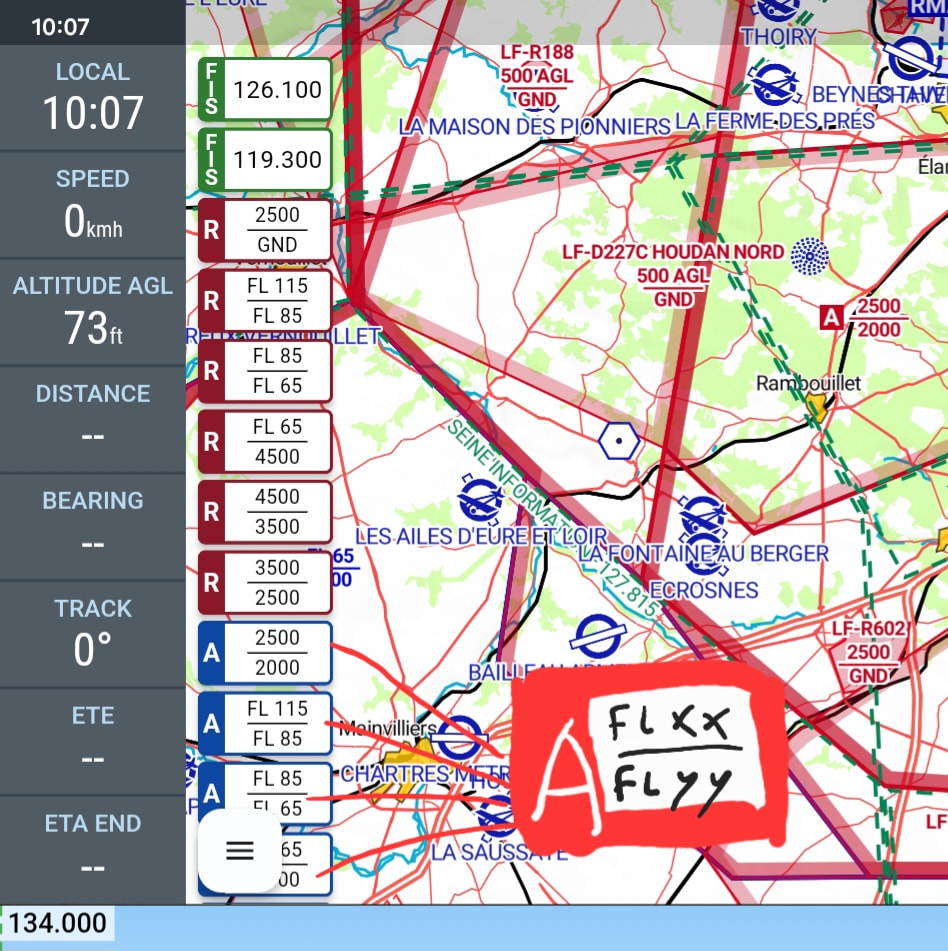
But again, a TMA shown in blue can also be type A which should be red.
Is it possible for you to indicate the TMA type? Like for the D, for example.
After a more thorough check, all the “Paris” and “Seine” zones look fine.
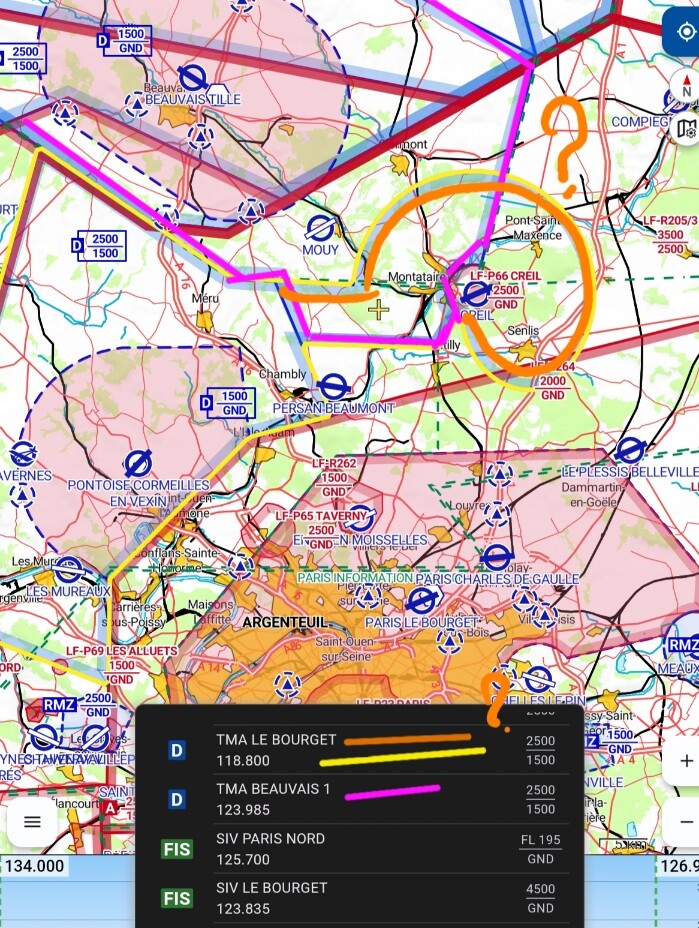
I found a section that puzzles me regarding “ TMA le Bourget 1” and “ TMA Beauvais 1”
Does the orange-colored part exist or is it a vector anomaly ?? This round shape is surprising. And the two zones overlap even though they have the same floors and ceilings… weird… it doesn’t make sense.. it’s probably a chart error.
I know a major update is due to be released in April. I thought it was next week. Is this the new update you’ve already taken into account ?
I once flew around Paris, so I know the topic a bit.
But I picked a day with foggy weather… there was no wind, good idea… I didn’t see Paris at all!
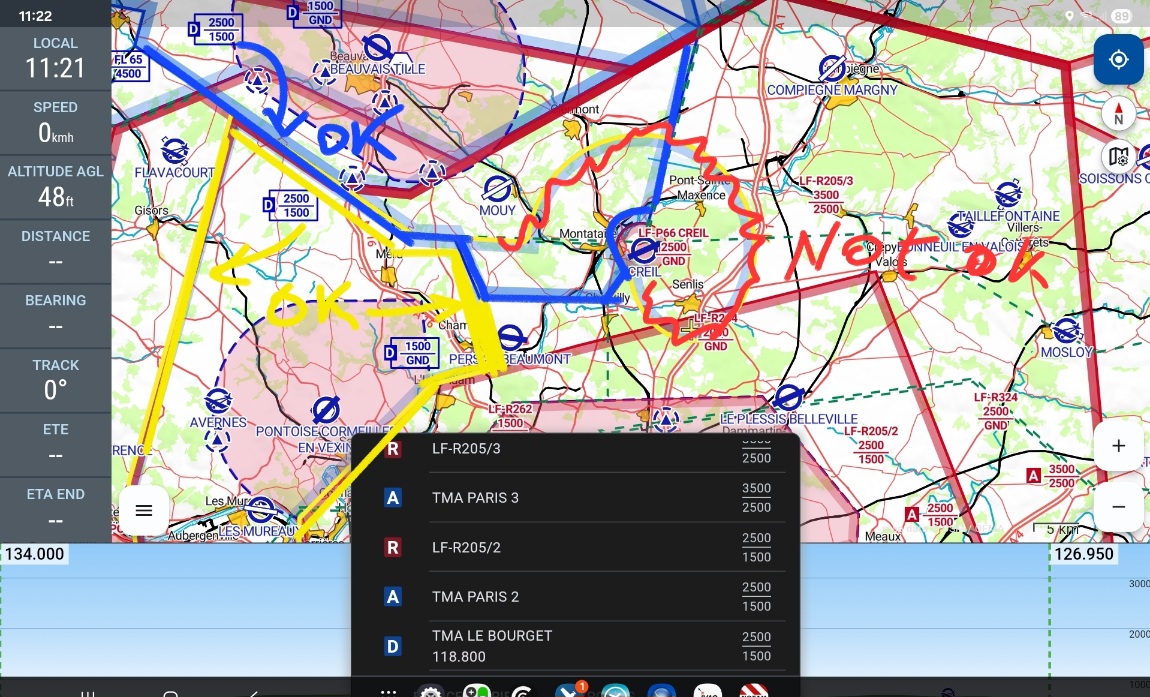
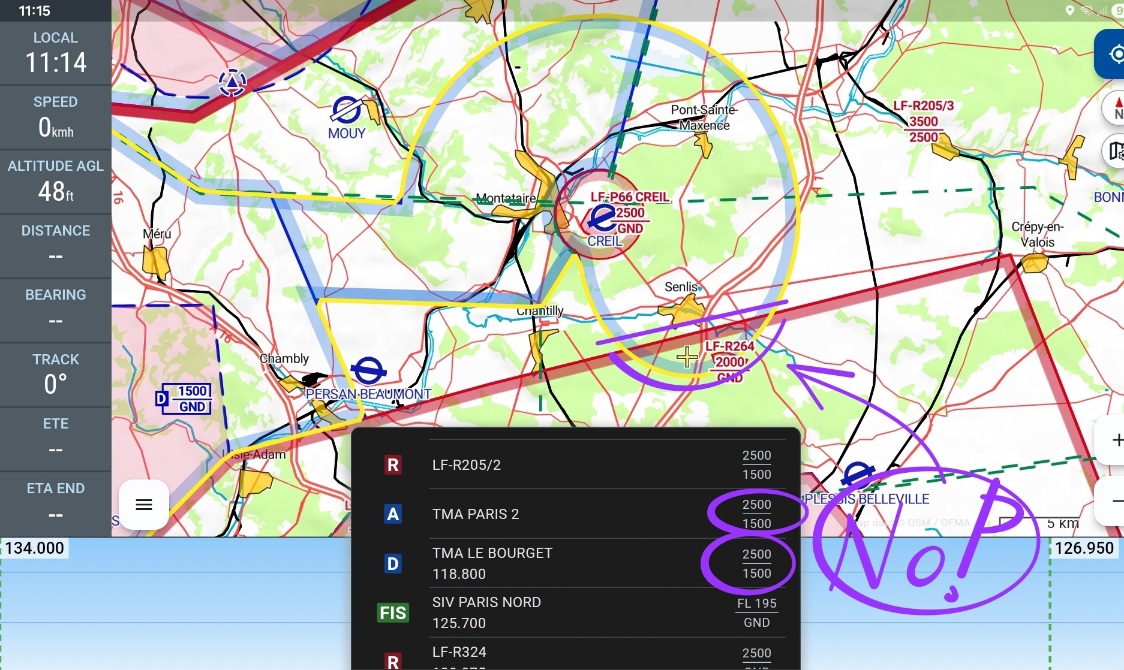
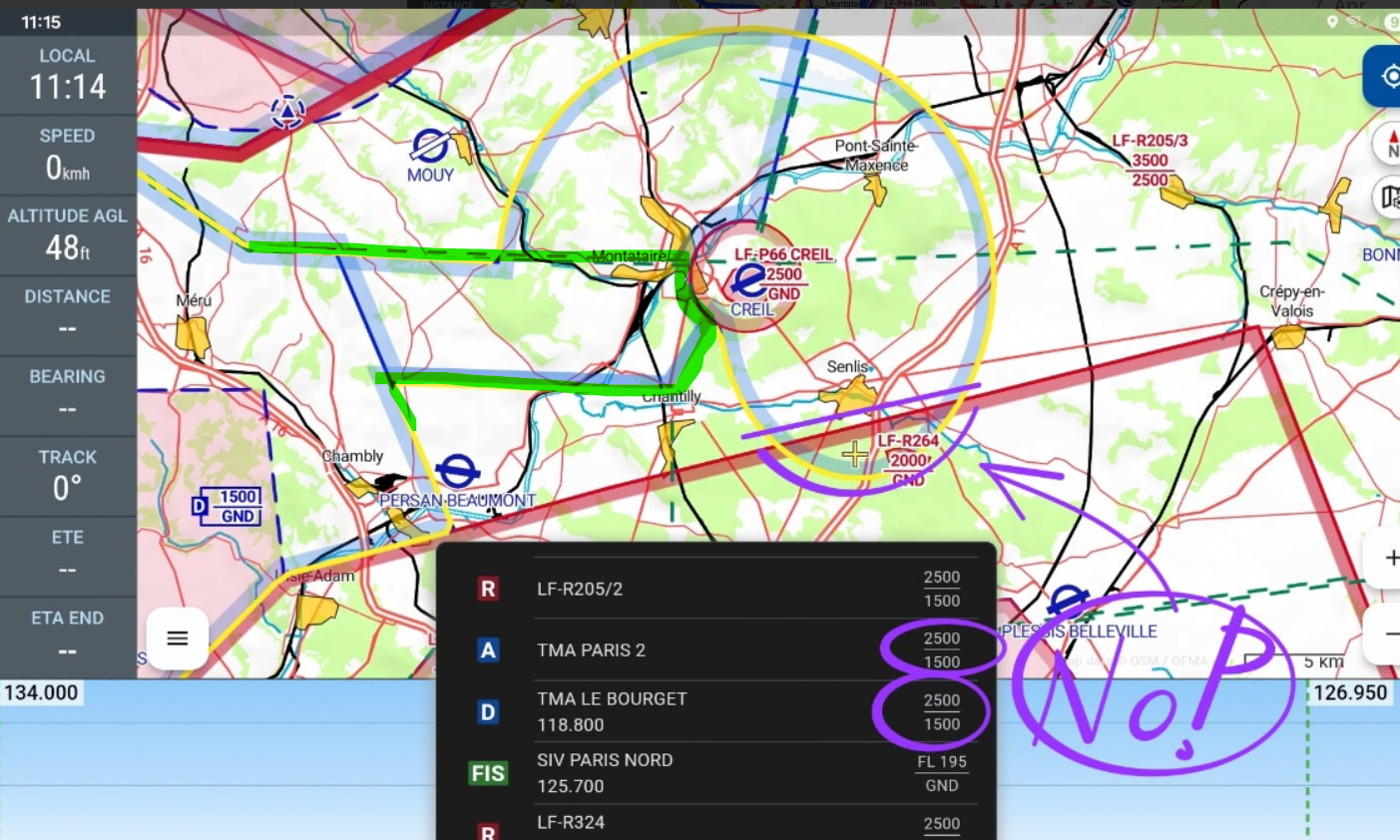
Did you also see the previous report for Beauvais and Bourget? (TMA 2 as well)
Something’s not right.
Have a look at the pictures I’ve attached here. I think that’s how it should be, but I don’t have the new chart from SIA-France yet. Unfortunately they’re marked as delayed. Wait and see!
I also want to say thank you for your attention and very good documentation. France is still a ‘blank spot’ for me — because of the language. But I’d like to fly to France sometime.
Nice that you’re here.
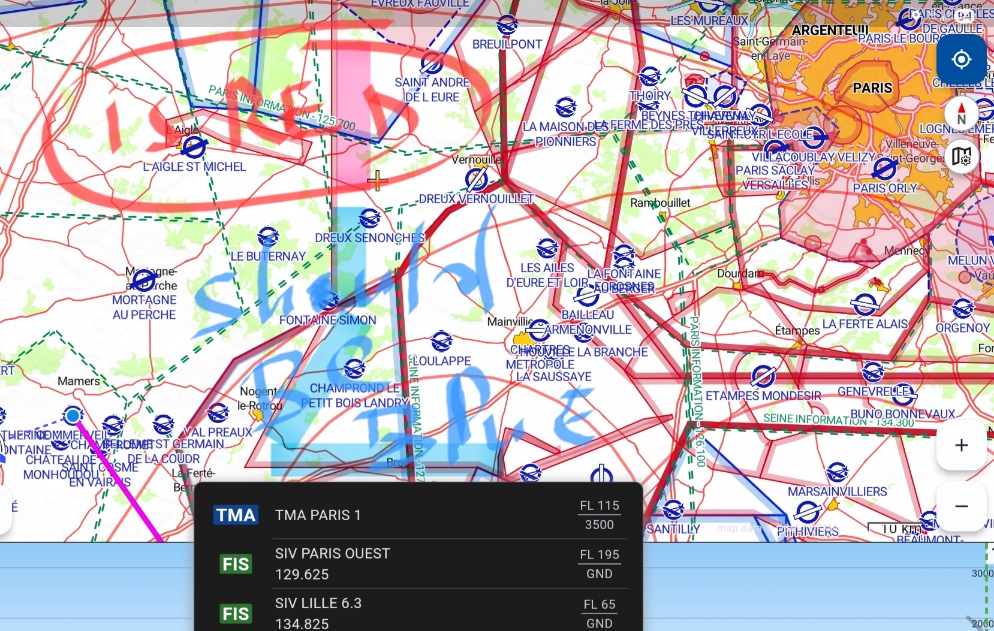
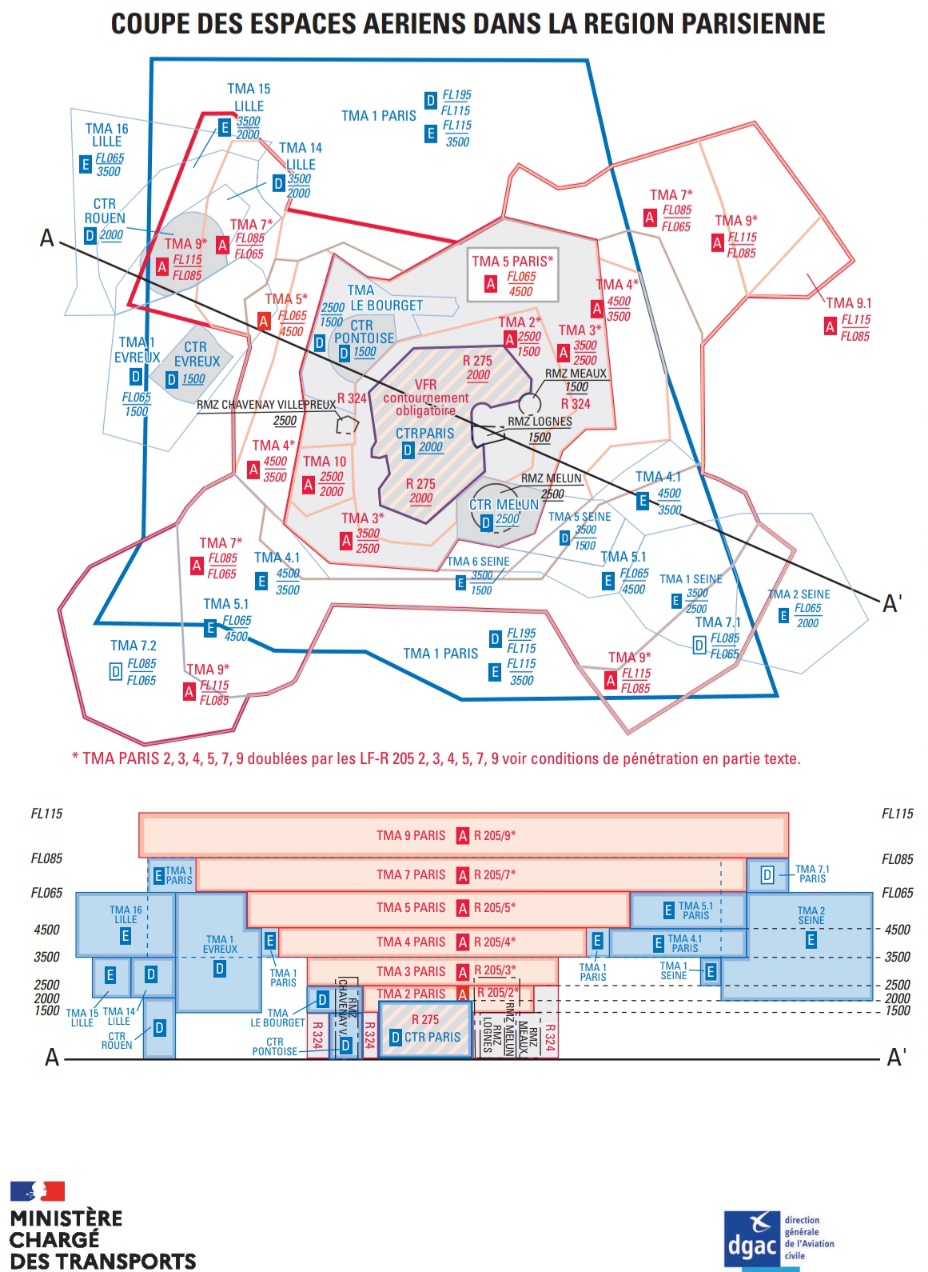


 which should be red.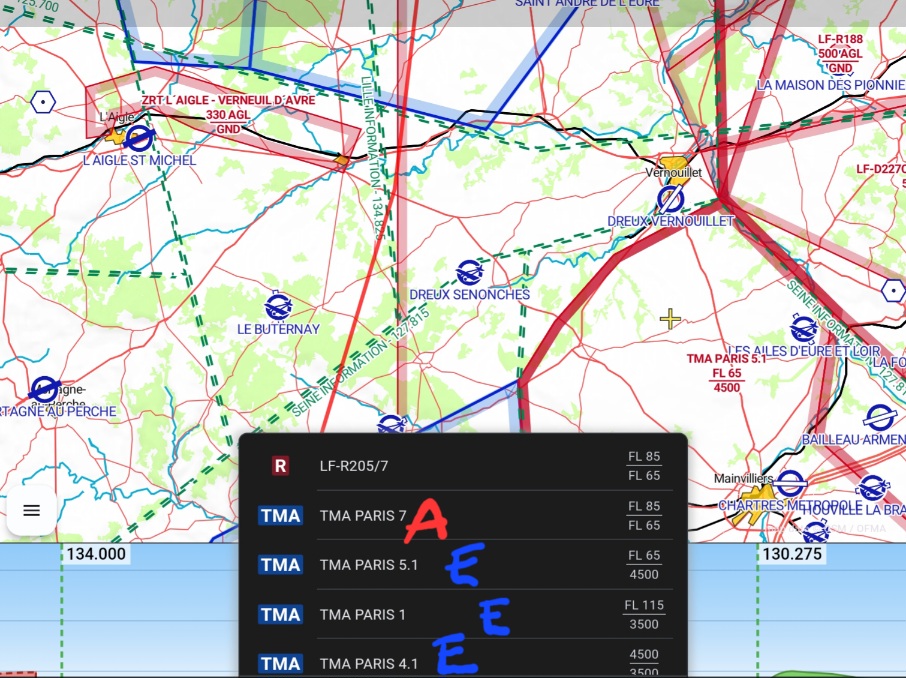
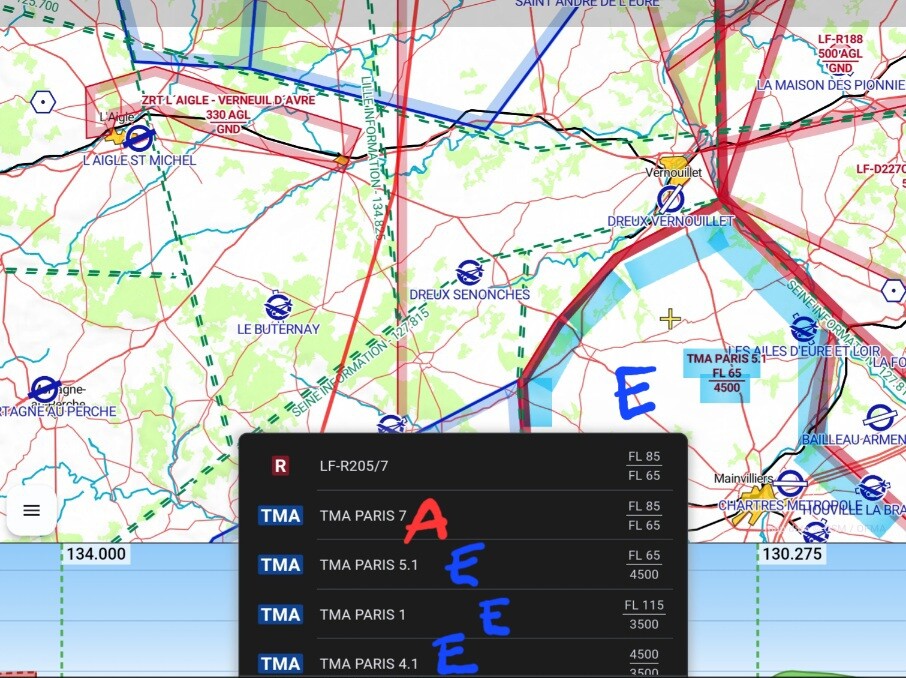





 But I’d like to fly to France sometime.