The info fields are divided into two sections:
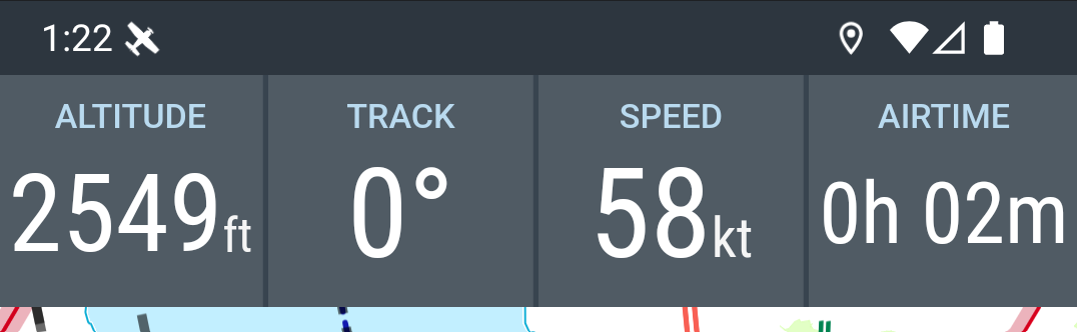
- Flight information fields
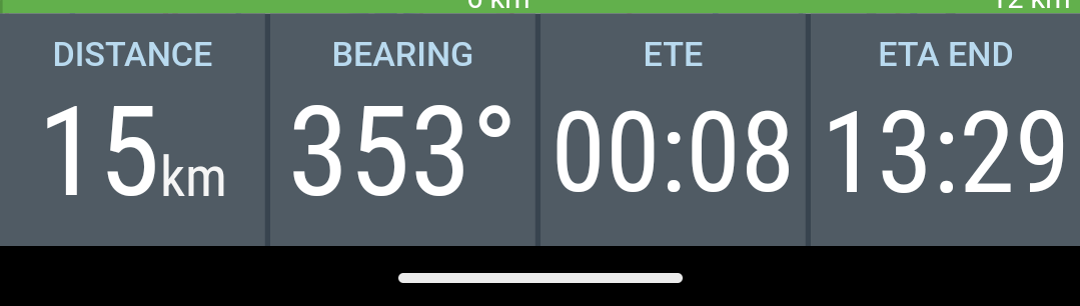
- Route information fields
They display the most important navigation and status data during flight and can be customised as needed.
Flight information
Default settings:
- Altitude above mean sea level (MSL)
- Heading
- Speed over ground (Groundspeed)
- Time (UTC) or AIRTIME since takeoff
Route information
Default settings:
- Distance to next waypoint
- Course to next waypoint
- Remaining time to next waypoint (ETE - Estimated Time En-route)
- Arrival time (ETA - Estimated Time of Arrival)
Note: In the tablet layout the flight and route information fields are displayed together:
side-by-side in portrait orientation
stacked in landscape orientation
Settings
Each info field displays a specific value.
Many info fields allow a direct configuration of units or display parameters.
To open an info field’s settings, long-press the corresponding field.
Example:
In the Altitude field you can switch between
-
Altitude above mean sea level (MSL) and
-
Altitude above ground level (AGL)
Further settings for:
-
Layout
-
Display size
-
Selection of displayed info fields
can be found under:
Settings → Appearance → Info Fields