Over the weekend we had an issue on several devices where, when entering a new destination via „Direct to“, the destination appeared as the 2nd waypoint in the flight plan, but the first was not the current position — instead it was a waypoint from the previous flight plan.
There was an update today; no idea whether that also addressed this point.
it depends on when and from where the Direct-To function is used:
For the route via the waypoint sheet:
On the ground the departure point is chosen first, then Direct-To is used to select the destination.
In the air Direct-To selects the destination directly from the current position.
The distinction between planning mode (on the ground) and in the air allows planning the route, e.g. from home, and thus to always have the route start at the airfield.
Thanks for the explanation. But how do I select the city point “on the ground”? I’ve never done that before and right now (I’m “on the ground”) I don’t need it, and flight planning with “Direct to” starts at the current position.
Assuming your flight route is empty — that is, under Flight Planning in the main menu no waypoint is set. Then tap any airfield. A button labeled “Set as departure” appears. That creates a new flight route and simply sets the first point.
If you now tap another airfield, you can choose, among other things, “DIRECT TO”. The route will then go from the first to the second airfield without using your own position (e.g. at home on the sofa).
But beware: if you are currently located at an airfield/waypoint, then — even on the ground — the “DIRECT TO” option is active immediately, and your current location will be used as the start.
Once you understand that, you won’t want to be without it. It’s absolutely brilliantly implemented.
@SkyHergen I couldn’t have described it better. Thanks
Hi Maik,
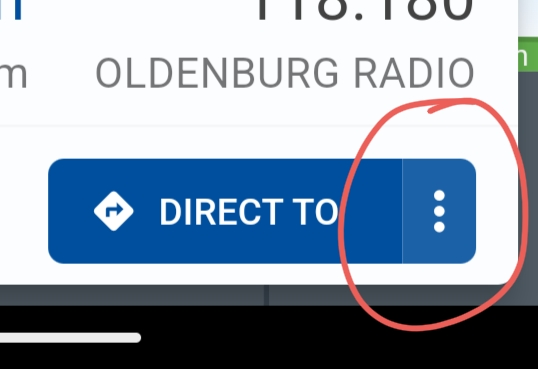
the last paragraph from SkyHergen is probably important for you: If you are currently on or near an airfield, then any airfield is reachable with Direct-To and the current field is used as the starting point. You can deviate from that by tapping the menu next to the Direct-To button.
If in your case — (situation in the first post) — the Direct-To function started from another position, then there was likely still one waypoint stored in the flight route. That waypoint was then simply interpreted as the start.
Everything applies — as said — on the ground. In the air, i.e. during flight, Direct-To is always from the current position.
…and that’s absolutely great and important for changes during the flight.
no route loaded:
→ tap and hold any point = Direct-To that point
→ tap a point = info about the point (e.g. RP) or option to set as departure point
→ accidentally added to the route? → tap the point → red trash can = removed
as my colleague said, you have to play around with it a bit — then you won’t want to do without the solution.