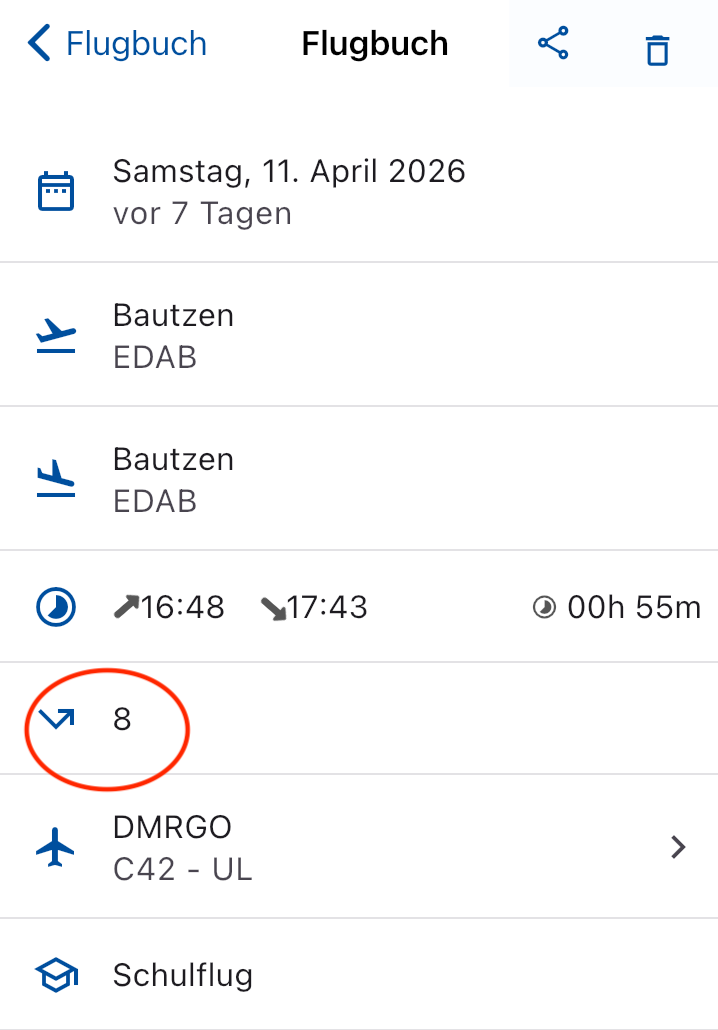
I would also be very interested in having the times of each landing recorded as part of a flight recording. So far I work around this by pulling them manually via the flight recording and groundspeed — from the graph I can at least read off the time for the logbook. However, it’s a bit cumbersome. If there were a timestamp for the recorded landings, that would be great!
Maybe I didn’t make myself entirely clear. The landings are being recorded correctly, that’s all fine — my concern is that the times be logged as well alongside the number of landings. Could that perhaps be implemented?
I’ve set that accordingly. The (last) landing is recorded, of course. The number of intermediate landings (TGL) is also recorded. In addition to the number of landings, I’d like to have the times of the TGL as well.
I’ve given this proposal some thought.
Technically possible - however with compromises to data consistency. Because automatic collection of this data would also have to allow manual entry. Anything else would be sloppy. More importantly: I personally don’t see any added value in this additional information.
I was actually able to reproduce it over the weekend. We started at the home field, did a touch-and-go at the neighboring field and then returned home. Afterwards I was missing the landing time because during the touch-and-go on the runway I didn’t get below the flight speed mark. So the app couldn’t record everything. The landing was registered as 1, but without a time. Later I was able to see when I was there under “Show flight log”…
With the right settings, flights and landings are logged correctly. Do I want to ‘dynamize’ my logbook through traffic-pattern flights now… no, please don’t. We’ll see what the wishes of the large majority are.
So it’s really about knowing how long, for example, a traffic pattern took? And the next one… and the next…? In that case the recorded time should also be adjusted.
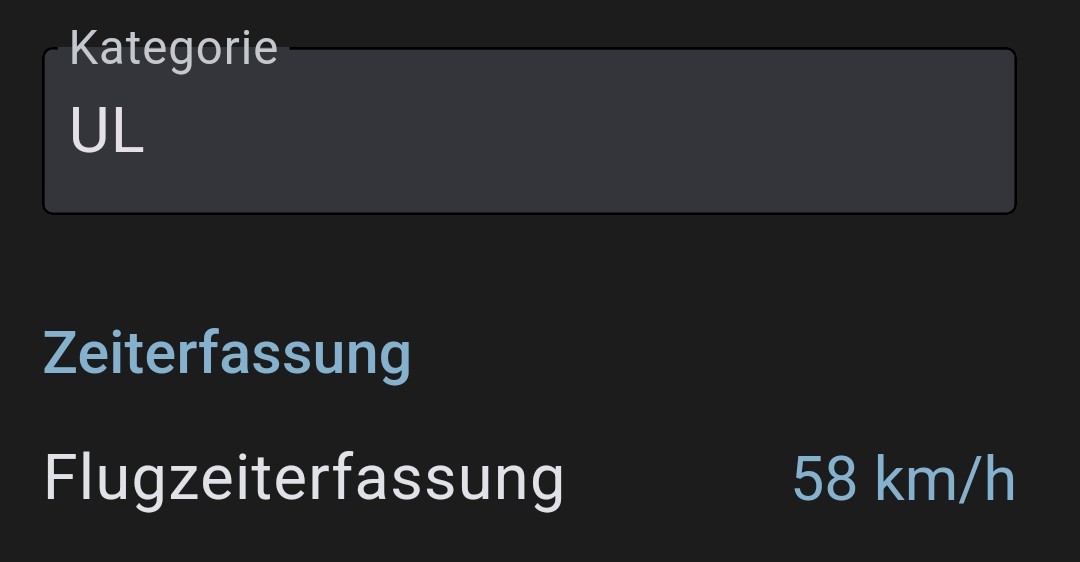
For me, a landing is, for example, at 58 km/h, because I almost always land as slowly as possible, right at stall.
With a touch-and-go (T&Go) that won’t always be the case.
…and everyone can set adjustments for that.
But: …as always in this forum, ideas are always good and, as you can see, they may be incorporated into VFRnav.
Briefly on that: The added value for me would be that I would have the TGL times (TGL-Zeiten) recorded automatically for transferring into the main flight log and the logbook. At our place, especially in the main flight log, they are recorded per circuit (per Platzrunde) for billing/accounting reasons, not as a total. So someone always ends up writing them down on a slip of paper.
But the vertical altitude/speed profile will do in a pinch, since the times can be read off there as well.
When asked why, the only answer was: it has always been documented that way…
With a lot of tact we questioned it and ultimately, together with the airfield management, came to the conclusion that touch-and-go times are actually completely pointless and there is probably no legal reason to document them.
Since then it’s not been quite so hard to fill the position of operations manager
I’m using VFRnav 4.26.2 on an iPhone with iOS 26.5.
The flight recording is becoming increasingly unreliable. It worked on Monday, then on Tuesday it stopped. I then deleted my logbook completely (it contained flights from the last three years), then it worked on Wednesday and yesterday. Today it didn’t work again.
This is really frustrating. I haven’t changed anything in the setup. Speed threshold 60 km/h, data via Wi‑Fi from an external source, everything normal in flight.
It would be interesting to know whether it makes a difference if the data comes from the internal GPS. That would give us a first indication.
Can you test this in a plane, car, train, or similar?
Please also check in the iOS settings under Apps > VFRnav whether the “Location” permission has been granted.
Thanks for the quick response! First of all: I really like VFR Nav and I pretty much always use it for powered flying.
I have now tested/done the following:
In iOS settings changed the permission from “Only While Using” to “Always”.
Created a test aircraft and set the speed for flight recording to 1 m/s.
Did a test on foot (walking speed 2 to 3 knots). The data source was then, of course, the iPhone. The test worked. Deleted this flight in the flight recording. Closed/exited the app (in iOS really closed by swiping up, not just leaving the app).
Did a new test. While walking, an entry appeared in the flight recording during the walk with the correct start location (I am at the airfield) and dashes for the landing location, i.e. a started logbook entry. After I stopped, this entry had disappeared from the flight recording. So it didn’t work.
Closed/exited the app.
Did a new test. It worked. Didn’t quit the app. Another test. It worked, the original logbook entry was continued, i.e. no new entry, but the number of takeoffs and landings showed a “2”. So it detected a touch-and-go.
Deleted this logbook entry. Did not exit the app. The entry was deleted.
Did a new test and now the old logbook entry was back and the number of takeoffs and landings had increased to “3”.
I can’t test in the aircraft over the next few days because I’m currently towing at the DM in Zwickau. I have other things to do there. I do want an external data source, because I want to see other traffic.
That a flight, for example, is deleted is partly related to the plausibility check. If a recorded flight is classified as too short, it will be discarded automatically.
All this reinforces my suspicion that the cause lies with the external data.
To examine the quality of this data more closely, I’d ask you to perform the following steps:
VFRnav settings > “External Data Source”
Connect the Wi‑Fi source
Tap the three dots in the top right
Enable the “Raw Data Logging” toggle
Fly
After landing, in the same menu tap “Show Debug Files”
I once had a problem with a SkyEcho that simply provided worse GPS data than my iPhone. The iPhone was just more accurate. But I didn’t want to give up the traffic display either.
In the settings under “External Source” I enabled the option to overwrite position data. That makes VFRnav use only the traffic data from that source and no longer the GPS data. The GPS data then still comes from the iPhone. It worked great in my case.
I had already thought of something like that. For background: the data comes from an AT-1. Some time ago I had problems where the device’s own GPS position “jumped” — as if the transmitted GPS position briefly froze and then jumped back to the current position. Later the AT-1’s Wi-Fi failed (broke) and I installed a replacement unit. Since then the jumping is gone, but now the flight logging, as I said, is sporadic — i.e. sometimes it works, then it doesn’t.
Hope we fly in the next few days; the weather doesn’t look great, we might be grounded. I’ll definitely create logs and send them as soon as possible.
Sorry, follow-up, because it overlapped with ClearProp’s reply:
Are the generated log files with the raw data also useful if I select the iPhone’s internal GPS as the data source (as suggested by ClearProp), or would only that data be logged and thus the potentially faulty external files not be logged?
and another reminder regarding the flight logbook:
please always make a backup of the flight logbook anyway and especially before such " Experimenten". Then you’ll always have the previous state available.
A completely different observation from a car navigation with Google Maps: Phone S26 ..Announcement running: no GPS signal …Drive from the Müritz area past Rostock Laage. …The GPS position was so far off that, according to it, I probably would not have been on the motorway but driving in a field. Unfortunately only 2 GLONASS and 1 BDS were apparently not enough to correct it.
-\u003e pure GPS navigation has unfortunately sometimes been distorted for some time. Since we do not operate commercial navigation (whether agriculture, aviation, etc.), we also do not receive any correction signal.
-\u003e Multi-GNSS receivers from U-BLOX 8 and up are therefore highly recommended!
 no, please don’t. We’ll see what the wishes of the large majority are.


