Flight recording no longer works

Hello,

on my last flights the flight recording did not work, although it was enabled (version 4.19.1).

I had my old smartphone with version 4.17.6 for logging with me, and that worked.

Has anyone else encountered the same problem with version 4.19.1?

Kind regards,
Jürgen

Hello Jürgen,

On which device are you experiencing this issue?

Blue skies

Hermann

Hello Hermann,

The new smartphone is a Samsung S24. That way, the recording still worked on 19 November. I’m afraid I don’t know which version was installed at the time (the then-current version).

Flying greetings Jürgen

Hello Jürgen,

have you created an aircraft profile and is it active? If so, what value is shown in the aircraft settings under “Flight time logging”?

Flying regards

Hermann

Hello everyone,

on 22 November I flew and the recording stopped or only recorded the last about 20 minutes.

I thought it might be a user error, but if another user had a similar issue, there might be something to it.

LFZ – profile is/was active, Android, S24.

Hello Hermann,

I have an aircraft profile, which is also active. Under flight time recording, 80 km/h is entered. The cruising speed is approximately 195 km/h.

Flying greetings,
Jürgen

Great, thanks for the info.

Does the location display on the map work as usual?

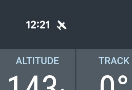
Second question: can you see the small aeroplane icon at the top of the status bar?

image

Happy flying,

Hermann

We’ve only flown locally, I didn’t observe what the recording was doing at that moment :-/

At present the aircraft is visible, flight time logged=20 kt.

Yes, the position indicator is working just fine. I didn’t pay attention to the icon, but I can try it again today when I’m driving. Unfortunately, the weather isn’t suitable for flying. The south is under a blanket of fog :frowning:

Happy flying, Jürgen

Great! Yes, that all helps with troubleshooting.

When you test again (aircraft or car), please check whether the time-info field “CLOCK” switches to “AIRTIME” after take-off.

If that is the case, you should also see a new entry for the current flight under “My Flights”.

Any insights help :slight_smile:

Pilot’s regards

Hermann

PS: It’s all grey up here in the North too. Bremen reports Broken at 500ft :roll_eyes:

The first test was successful; the aeroplane icon in the status bar doesn’t appear, but the time changes to “Airtime” and was logged :+1:.

I’ll test it again tomorrow.

Flying regards, Jürgen

the small icon is a prerequisite for the flight recording to run stably over a long period. Please check in the Android settings under App settings for VFRnav. There, the “Notifications” permission must be enabled.

I could imagine that this might also be the reason the recording aborted for you, @Ernifliegt.

Flight greetings

Hermann

Good evening,

the weather isn’t exactly flying weather at the moment.

A request and a tip: could you perhaps get in a car, do a lap at a speed faster than the take-off speed set for the aircraft?

And now check the recording. If you rely solely on GPS…that can sometimes be disrupted.

Just a rough suggestion.

Happy flying,

Karsten

Many thanks for the tip about the notification settings! They were turned off for me. Now the little aeroplane icon appears in the system tray. The recording this morning worked again too.

Strange though that it has always worked with the same settings up until now, only on the last flight it didn’t :thinking:.

Flyer greetings, Jürgen

I have another question about flight time recording: If I perform a touch & go instead of a landing, it is recorded as a landing in the flight time recording, but afterwards only one flight with the total time and two landings is displayed.

Is it possible to end the first flight at the touch & go and start a new flight at the same time so that the time is recorded?

The time is required for flying without an operations manager for the airfield’s main flight logbook.

And one more question about the aircraft configuration: what does the entry under “Cruise Altitude” do?

Pilot greetings Jürgen

Also, test flight completed. Recording works flawlessly, even with power saving mode, which I had initially suspected. It starts recording at 20 kt; brief dips below (traffic lights, turning, etc.) it counts as landings, but all within a single flight.

:rofl: :waving_hand:….oh great!

Pilot’s regards, Karsten

Hello Jürgen,

The cruising altitude is at the moment still insignificant. But in future this will be significant section by section (from WP to WP) with regard to altitude profile / airspace cross-section. Especially in mountainous areas or the Alpine region! Feel free to be surprised :wink:.

Aviation greetings,

Karsten

Hello, I have 2 tablets - a Samsung Galaxy Tab A7 and a newer Tab S9 FE. Both tablets run VFRNav with the same settings. The Tab S9 does not record any of my balloon flights - GPS is enabled and authorised for VFR Nav. VFR Nav version 4.18.3 on the old tablet and 4.19.1 on the new tablet that does not record.
Kind regards
Sepp

Hello Sepp,

so your flights aren’t being recorded in the logbook either?

  • My flights → is the time-tracking toggle switched on?
  • In the settings for your balloon, is the configured flight time tracking appropriate? (a balloon is very slow, after all)
  • Please try the tip with the car otherwise
  • Please update the VFRnav version. The current version is 4.20.0

Please give feedback :blush::+1:

Blue skies,

Karsten