Hey, transferring my VVRnav licence to a new device/tablet worked flawlessly. Only my flight log data collected on the old device didn’t. On the new device, neither my aircraft nor my flights have been restored. Can anyone tell me if I forgot to activate something, or do I have to transfer the data manually? Or is there another way to perform the transfer? Best regards and many thanks
Tobias
Hi Tobias,
welcome to the forum 
Do you know the export functions of the VFRnav logbook? With these you can quickly synchronise your logbook across all (up to three) devices. I, for example, fly as “Master VFRnav” on my tablet. I also keep my mobile phone running alongside, occasionally taking photos. Then it sometimes crashes. From time to time I synchronise the phone with the tablet’s data.
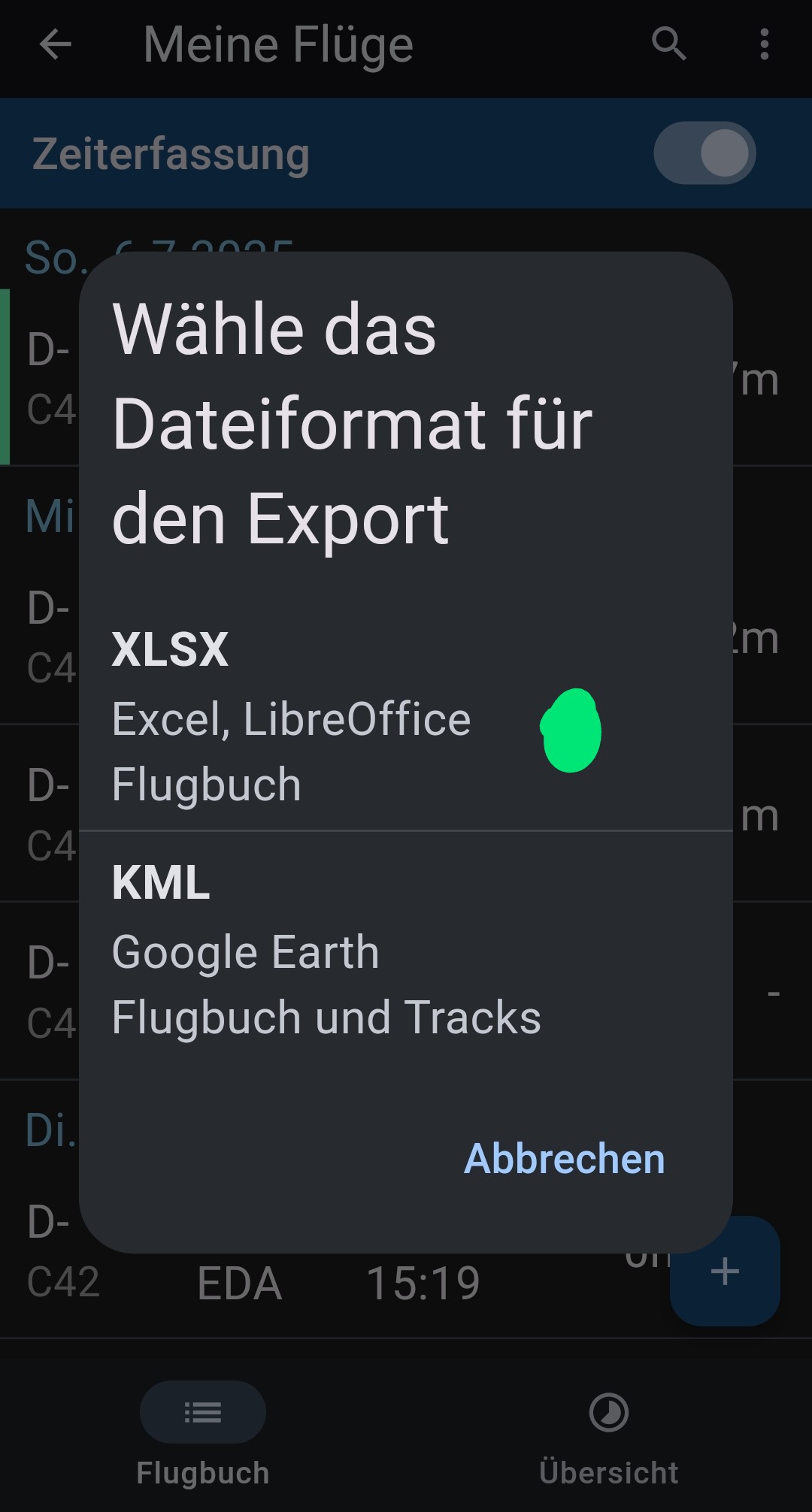
meineFlüge → Export logbook → I personally like to choose the Excel format, because then I have my logbook on my PC and can, if necessary, add older flights.
The file can in turn be imported on other devices.


done 
Kind regards, simply fly,
Karsten
Hello
Does this also work with saved waypoints, aircraft and routes?
A cloud would be practical.
Regards
Thomas
Hello Thomas,
please feel free to play around with the options and menus. You can’t break anything.
Have a look:


Thanks for your suggestions
Hello @Ernifliegt,
welcome to the forum!
Unfortunately, Excel doesn’t make data processing easy. Sometimes data in cells is automatically converted into other formats or similar. When other programmes like Google Sheets get involved, you often end up with the problem you mentioned. It’s better to import/export via a more robust format like CSV.
If you like, feel free to send the file (or excerpts of it) to mail@flugbetrieb.com. Then we’ll take a look.
Happy flying,
Hermann
Hello Erni,
Since I already “had a go” at this issue in 2023, that was the reason for my explanation above. As Hermann already writes, you have to force Excel here with regard to its format. The alternative is, as already mentioned, the CSV format. I’m attaching a screenshot of how to generate CSV.
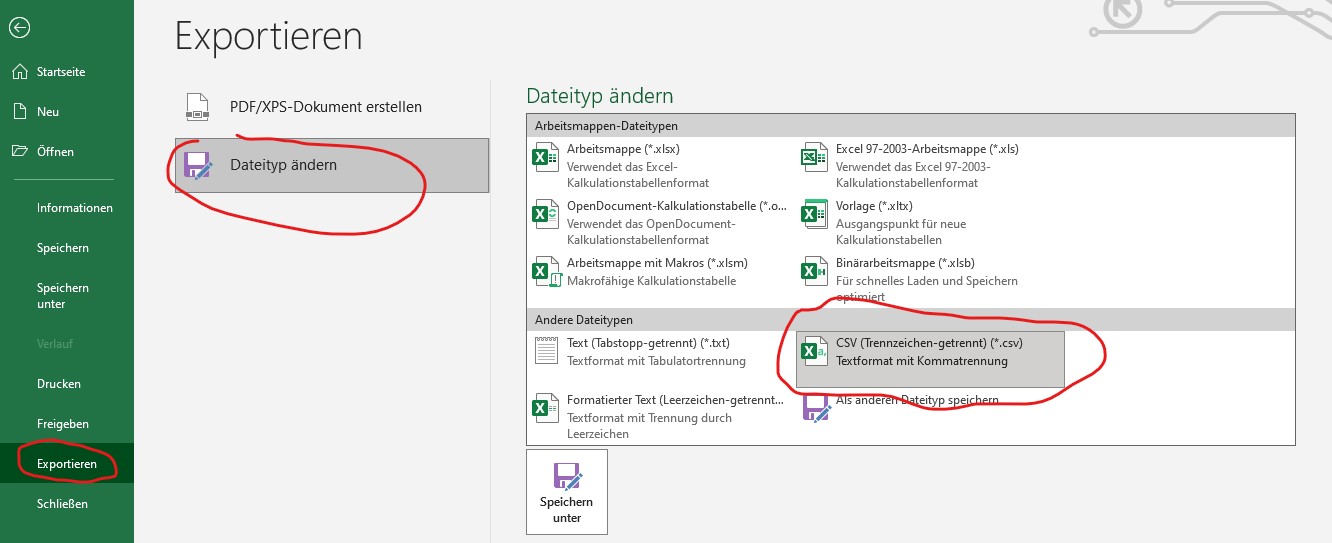
However, I work with *.xlsx files.
Please note my remark regarding the index. Yes, you will lose the association to your tracks here. To prevent this from happening, you should also export to the Google Earth format as an additional backup, so to speak.
…and one more tip: once you’ve done that, copy the file you want to import into the Documents folder, for example. VFRnav requires a folder with the appropriate permissions for re-import!!! …otherwise exactly the phenomenon you described will occur.
Good luck!
Karsten
Hello @all,
first of all, a big thanks for your fast and promissing answers!
I tried it with a CSV file and it worked perfectly.
Always happy landings, Erni

 Great, Erni.
That’s exactly VFRnav, its friendly community and Hermann on top.
Yes, I was really pleased, especially as I had feared I’d be the umpteenth to ask the question, and in other aviation forums the atmosphere is very different.
I’m not that far along in my flying career yet, but so far VFRNav is absolutely brilliant – by the way, I found you in “LuftSport” and through the article on integrating CCAS.
PS: @Hermann, thanks for the offer to send it in. I wanted to have a go myself first
1 Like
That’s how it should stay here in terms of tone. This forum is meant to serve the mutual cooperation between VFRnav users and Hermann’s development team. In the end, V
1 Like
Hi Karsten,
Unfortunately, I had already deleted the flight log beforehand, so the old flights are already gone. From now on, however, I’ll be working with KML, also because I can display it in Google Earth and see the elevation profile so nicely