Haihoooo … 
… is there any way to enlarge the “window” of the vertical airspace section or to move it from bottom to top?
Hello Andi,
The option to adjust the size of the vertical airspace section is already on our to-do list.
I’ve just added your suggestion to change the orientation from bottom to top. 
Many thanks for this suggestion for improvement – I think implementing it shouldn’t be a problem 
Happy flying and enjoy the rest of your Sunday
Hermann
1 Like
… 
… thanks … and how it’ll be with the “red mountains”, I’ll definitely write to you about it soon … I mostly fly around the Eastern Alps in Austria anyway … but it
…cool Andi, I’m curious too. I tested it today in the Leipzig area … well … unfortunately only flat land here. …but it worked brilliantly.  ..thanks again to Hermann.
…I’m sure you know … that you can at least change the scaling by sliding in the airspace section.
Best regards, Karsten
Haihoooo …
… yes, thanks, I know … but I really like using this cut, since in the mountains we also have so many layered airspaces and the E-areas change every
… I’ve been flying since 2003 and for ages with VFRnav and I’m simply thrilled …..
… top price… Top performance … and exactly what a PPL VFR pilot needs …
… I’ve been saying that for years …
… and roughly from when can I do that too ??
… and how ?
Ahoy
Haihoooo again …
… hope I’m not annoying you … but I have another question …
… in the airspace cross-section, airfields and various INFO radio areas are shown …
… could you set it up so that custom waypoints or named waypoints are also displayed …
… it would really simplify planning …
Ahoi
Andi
… of course this only concerns the waypoints which are used in a flight route…
Not at all  We’re always happy to receive feedback and suggestions for improvement!
That’s already on the to-do list 
Pilot’s greetings
Hermann
… please can you tell me how I can set, slide or drag the vertical airspace cross-section window from bottom to top …
thanks
Ahoy
… I mean below or above the info fields …
Hi Andi,
The size and position are not currently adjustable.
However, it will be included in forthcoming versions.
Flying greetings,
Hermann
1 Like
…. Is it still coming this year?
Hello Andi,
Please take a look under the post VFRnav4.17 at my addition to Sonja’s comment. 
Aviators’ greetings,Karsten
okok …. I’ve found it ….. brilliant …. I’m excited … thanks ,….
Haihooo Hermann, the Austrian from the hills back again with questions …
… Yours truly works a lot with … “my waypoints” … and I’ve also created a fair number of them …
1.)
… is it possible to display them in the airspace section (just like the airfields)?
… it would be enough to show a simple symbol instead of the name … to recognise that there’s a WP there …
2.)
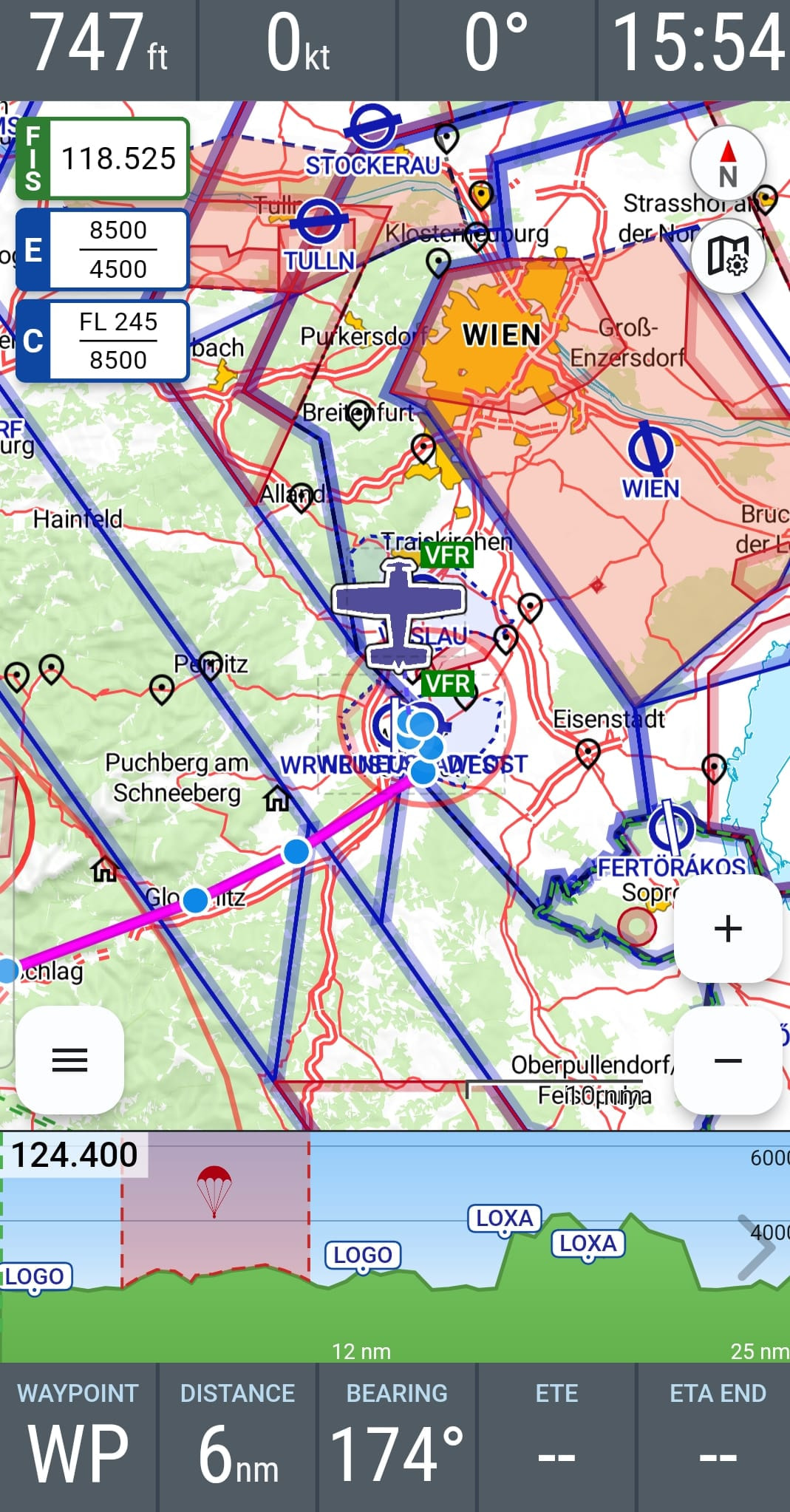
… Display of the info fields … I have all 9 activated & in use …
… in landscape view on the tablet all are visible … … brilliant …
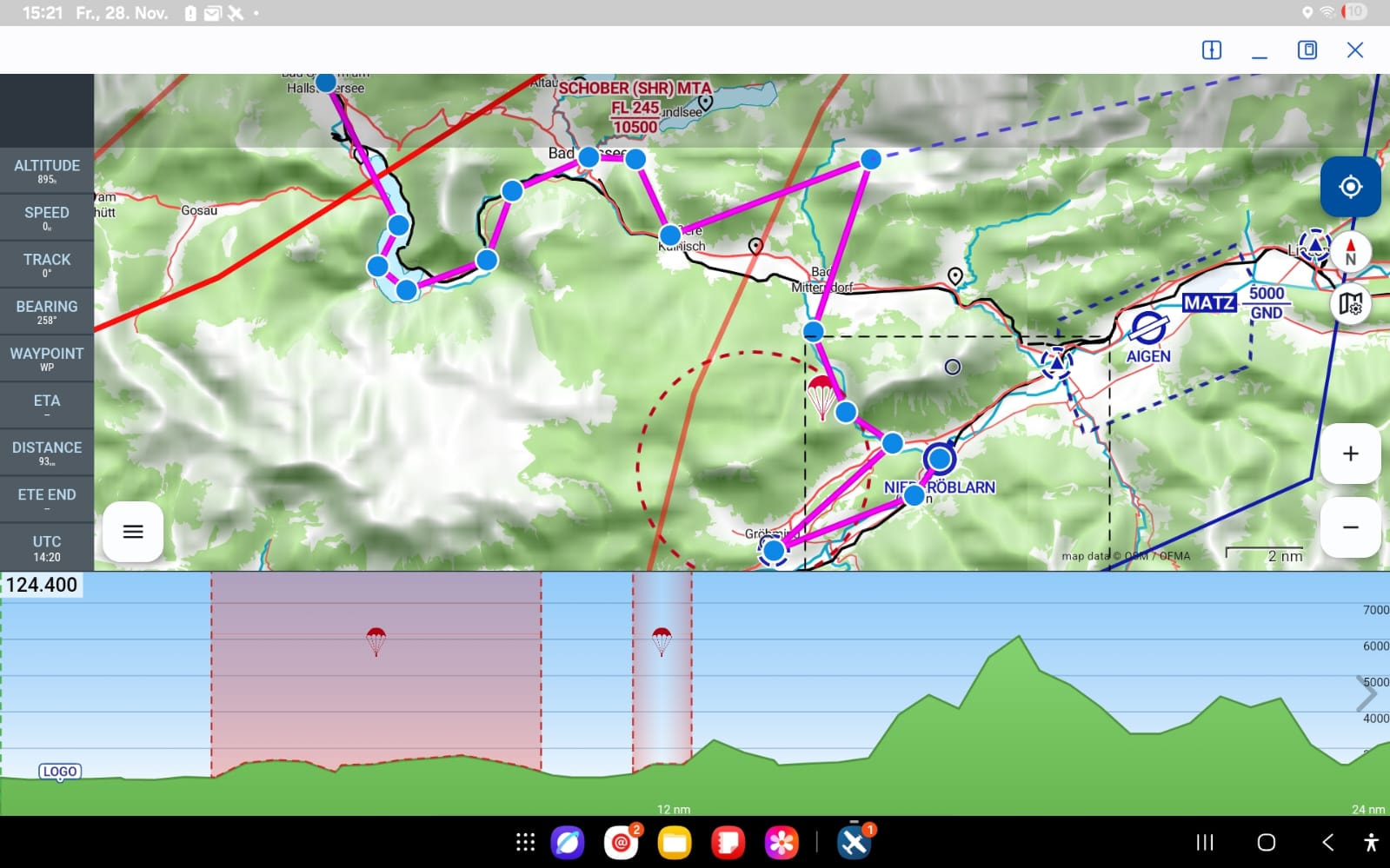
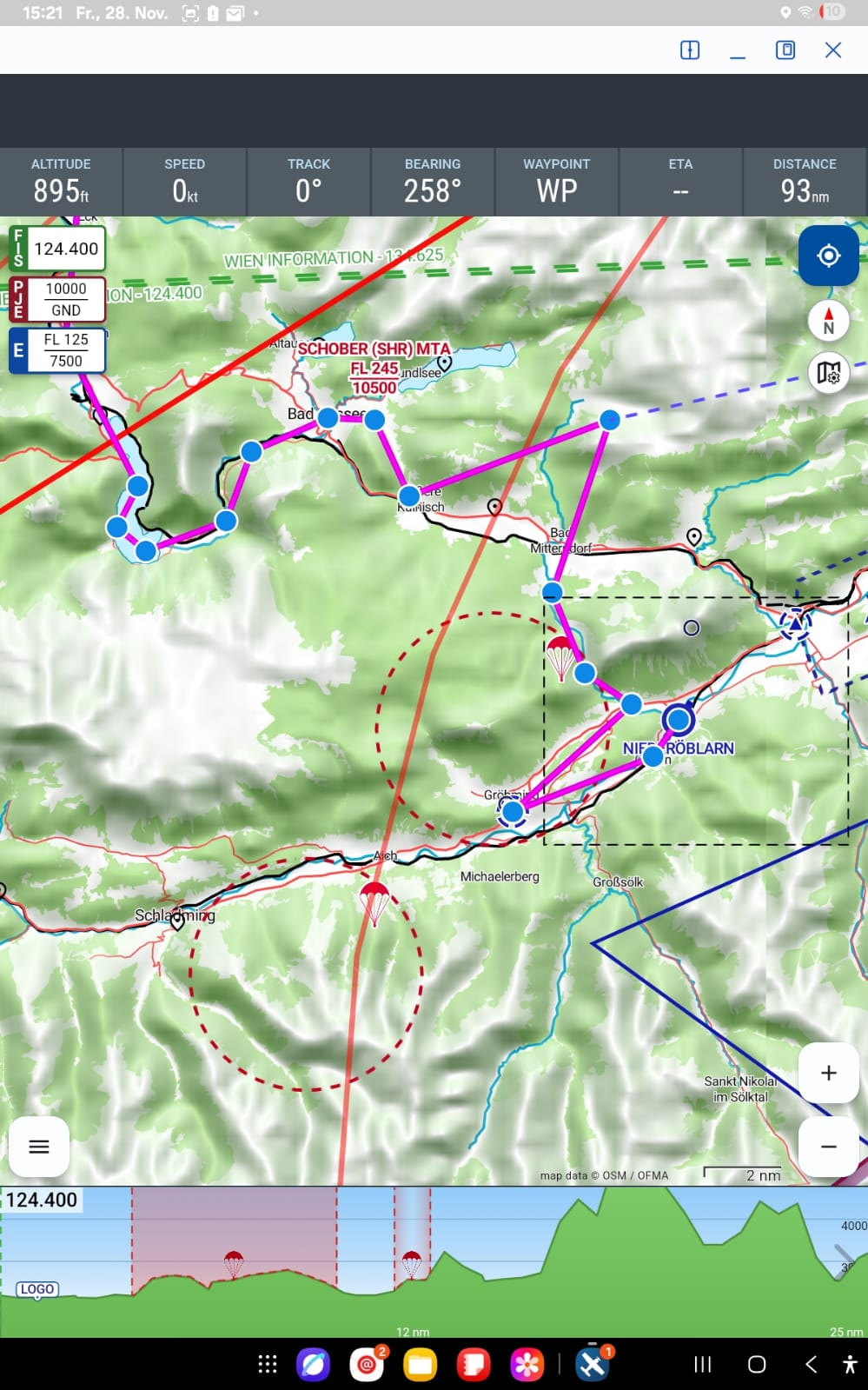
… in portrait view on the tablet – (which I need in my little pod for space reasons) – I can do whatever I like …. I only get max. 7 info fields ….
(… no matter what size setting for the info fields )
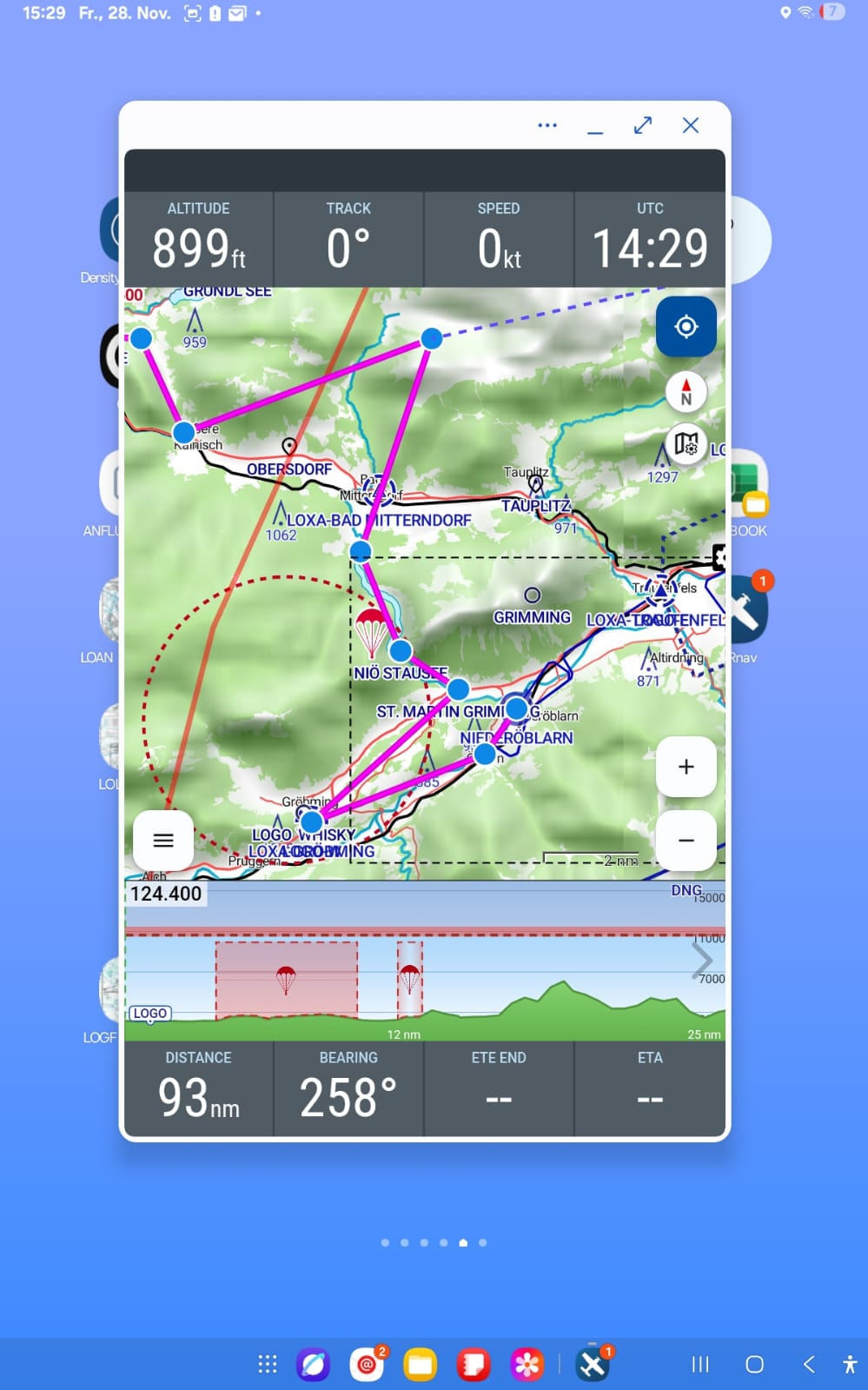
… unless I briefly switch to the reduced / “partial view” …. then I see 8 info fields … 4 at the top & 4 at the bottom ….
 …
…
… that would also be ok … but I’m not really fond of the partial view ..
and …. then
… on the (Samsung Galaxy S21) it looks different again …… there in portrait view I have all 9 info fields – automatically divided – top and bottom …..
… that’s how I’d like to have it on the tablet too ….
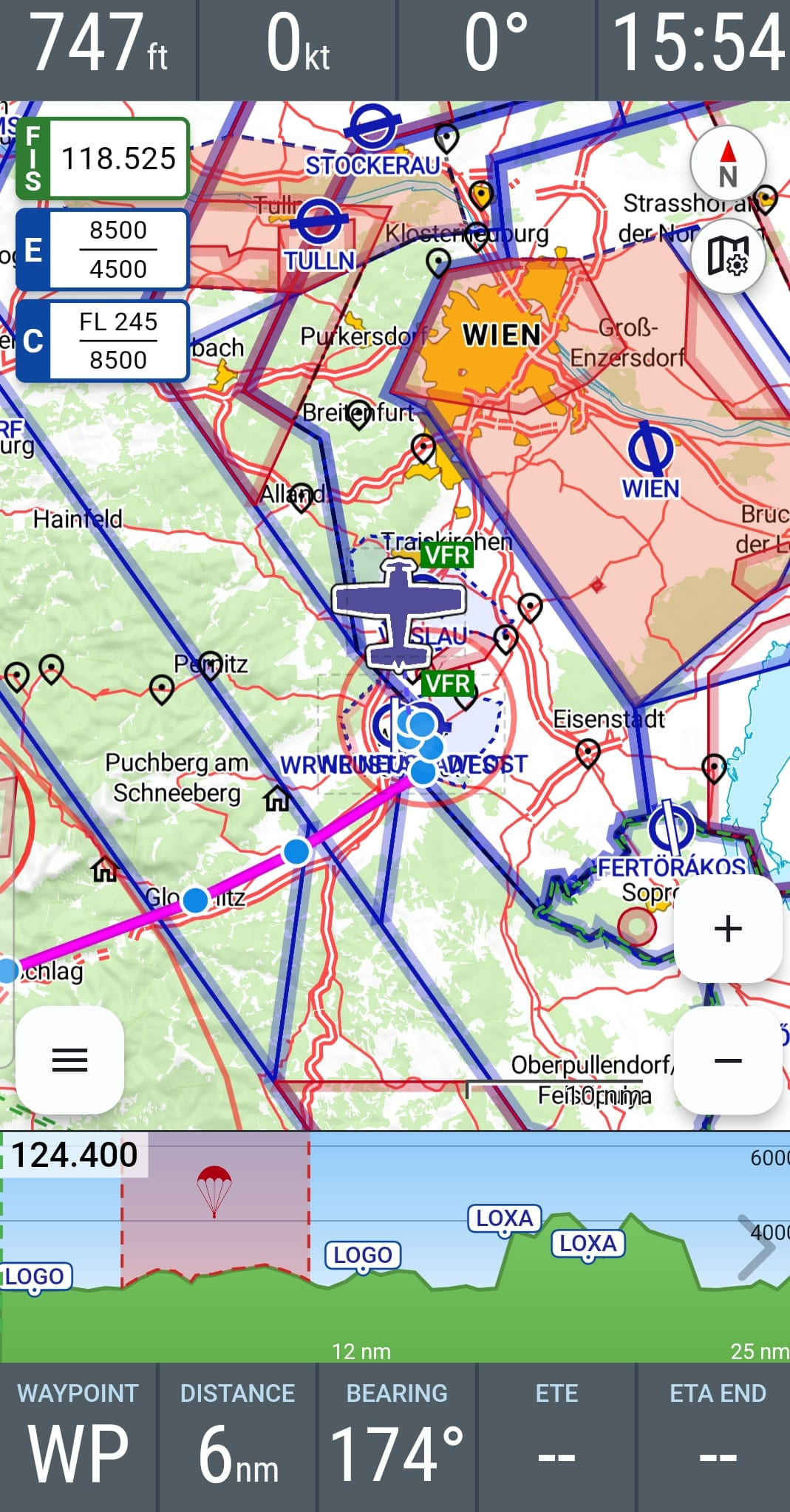
… like on the mobile phone (Samsung Galaxy S21) in landscape view … that would be ok too ..
… there all info fields are automatically split left & right …
… and the airspace section is just a bit narrower ….
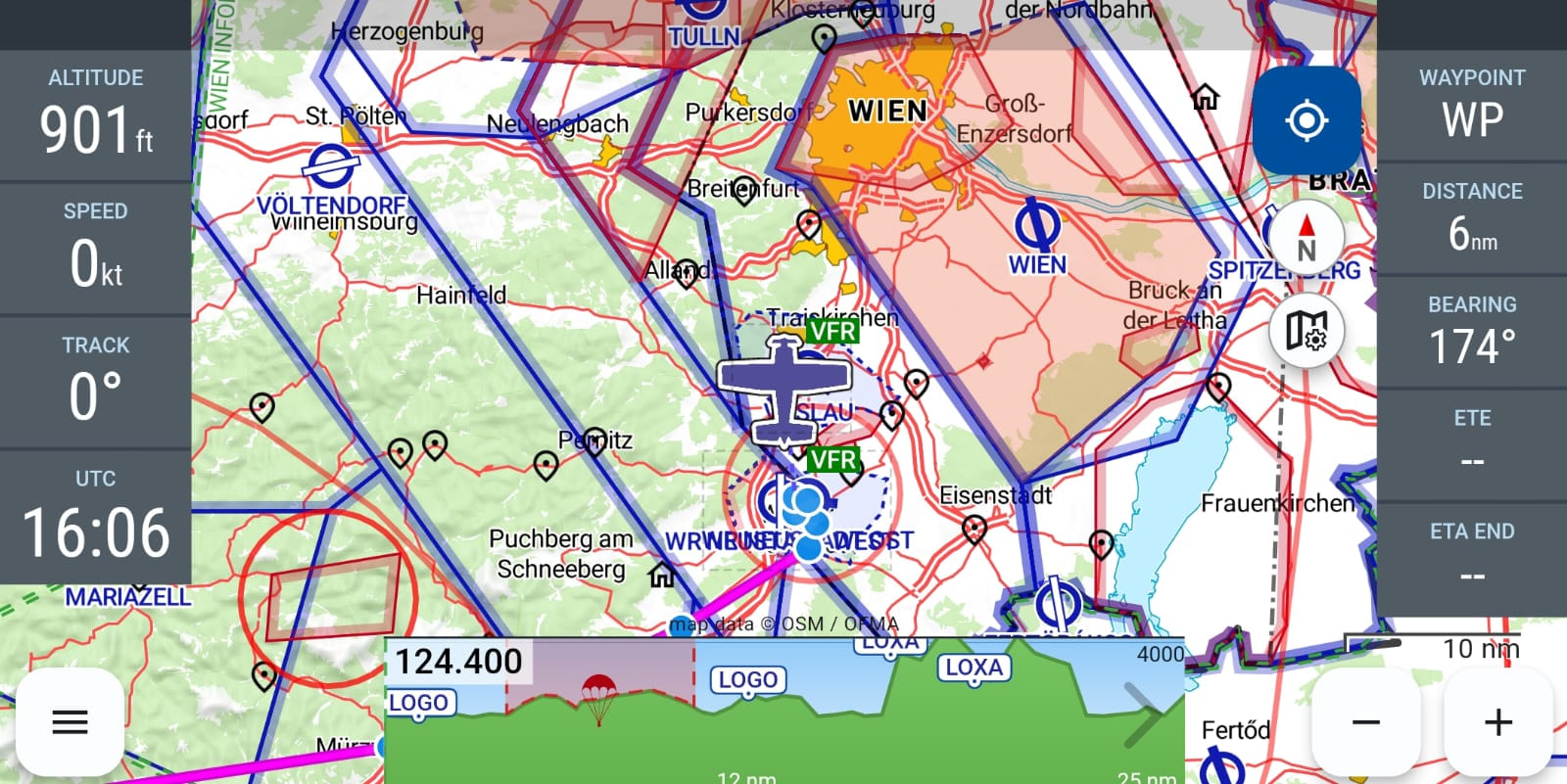
… is there anything I can do to get it on the tablet (Samsung A9) to look like on the mobile phone (Samsung Galaxy S21) ?? !!
Ahoy
Andi
Hello Andi,
Blimey, great suggestion about using your own WPs in the airspace slice.  I also have loads of WPs…although most of mine are abroad.
Flying greetings,
Karsten
Hello Andi,
thank you very much for your suggestions for improvement! 
The display of one’s own waypoints in the airspace cross-section is actually already on our to-do list. I’ll take up the topic again – perhaps this addition will even make it into the next update.
Regarding the display of the info fields:
VFRnav distinguishes between a tablet layout and a smartphone layout, each further subdivided into portrait and landscape orientation. The goal is to choose the number and size of the info fields so that they remain practical and do not become too small.
In practice, with the variety of devices, screen sizes and resolutions, of course this cannot always be represented perfectly. Therefore, we are indeed planning to make the info fields even more individually configurable in the future – for example in terms of number, size and position.
Technically, however, this is not entirely trivial.
Blue skies,
Hermann
1 Like
…. Haihooo …
…. Thank you for your constant efforts to make our wishes / dreams come true