Haihoooo … 
… besteht irgendwie die Möglichkeit das “Fenster” vom vertikalen Luftraumschnitt zu vergrößern oder von unten nach oben zu verschieben ?
Hallo Andi,
die Möglichkeit, die Größe des vertikalen Luftraumschnitts anzupassen, steht bereits auf unserer ToDo-Liste.
Deinen Vorschlag, die Ausrichtung von unten nach oben zu ändern, habe ich soeben ergänzt. 
Vielen Dank für diesen Verbesserungsvorschlag - ich denke dass die Umsetzung kein Problem darstellen sollte 
Fliegergrüße und einen schönen Restsonntag
Hermann
1 Mi Piace
… 
… danke … und wie das mit den “roten Bergen” sein wird schreib ich dir sicher schon bald … fliege ja meistens in den Ost- Alpen von Österreich herum … klingt aber echt praktisch 
Ahoi
Andi
…cool Andi, bin auch schon gespannt. Habe das heute in der Leipziger Gegend getestet … naja…leider nur Flachland hier. …aber funktioniert hat es supi.  ..wiedermal lieben Dank an Hermann.
…sicher weist Du es…das man die Scalierung zumindest durch Schieben im Luftraumschnitt ändern kann.
L.G. Karsten
Haihoooo …
… ja, danke weiß ich … aber ich verwende diesen Schnitt sehr gerne da wir in den Bergen ja auch sehr viele geschichtete Lufträume haben und die E-BEREICHE sich alle paar Minuten Ändern ganz zu schweigen von den vielen Übungsgebieten des BH … da ist dieser Schnitt schon was Feines … hoffe dass Hermann das mit der Fenstervergrößerung bald hinbekommt …
Ahoi
Andi
… ich flieg seit 2003 und Ewigkeiten mit VFRnav und bin einfach begeistert …
… top Preis… Top Leistung … und genau was ein PPL- VFR Flieger braucht …
… das hab ich schon vor Jahren gesagt …
… und ca ab wann kann ich das auch machen ??
… und wie ?
Ahoi
Haihoooo nochmal …
… hoffe ich nerv nicht … hab da aber noch eine Frage …
… im Luftraumschnitt werden Flugplätze und grenzen div. INFO Funkbereich dargestellt …
… kannst du es einrichten dass eigene Wegpunkte o. benannte Wegpunkte auch angezeigt werden …
… erleichtert schon bei der Planung so einiges …
Ahoi
Andi
… das betrifft natürlich nur die Wegpunkte welche in einer Flugroute verwendet werden…
Überhaupt nicht Wir freuen uns immer über Feedback und Verbesserungsvorschläge!
steht schon auf der ToDo Liste
Fliegergruß
Hermann
… bitte kannst mir sagen wie ich das Fenster vom vertikalen Luftraumschnitt von unten nach oben setzten, schieben oder ziehen kann …
danke
Ahoi
… ich meine unter o. über die Infofelder …
Hi Andi,
die Größe und Position ist aktuell nicht anpassbar.
Wird aber in den kommenden Versionen eingefügt.
Fliegergruß
Hermann
1 Mi Piace
…. Verrà ancora quest’anno ?
Ciao Andi,
dai un’occhiata sotto il post VFRnav4.17 alla mia aggiunta al commento di Sonja,'s. 
Saluti di volo,Karsten
okok …. l’ho trovato ….. geniale …. mi fa piacere … grazie ,….
Ehilà Hermann, l’austriaco dalle colline di nuovo con domande …
… io lavoro molto con … “i miei waypoint” … e ne ho creati anche una marea …
1.)
… è possibile rappresentarli nella sezione dello spazio aereo (come gli aeroporti)?
… basterebbe al posto del nome un simbolo semplice … per riconoscere che lì c’è un WP …
2.)
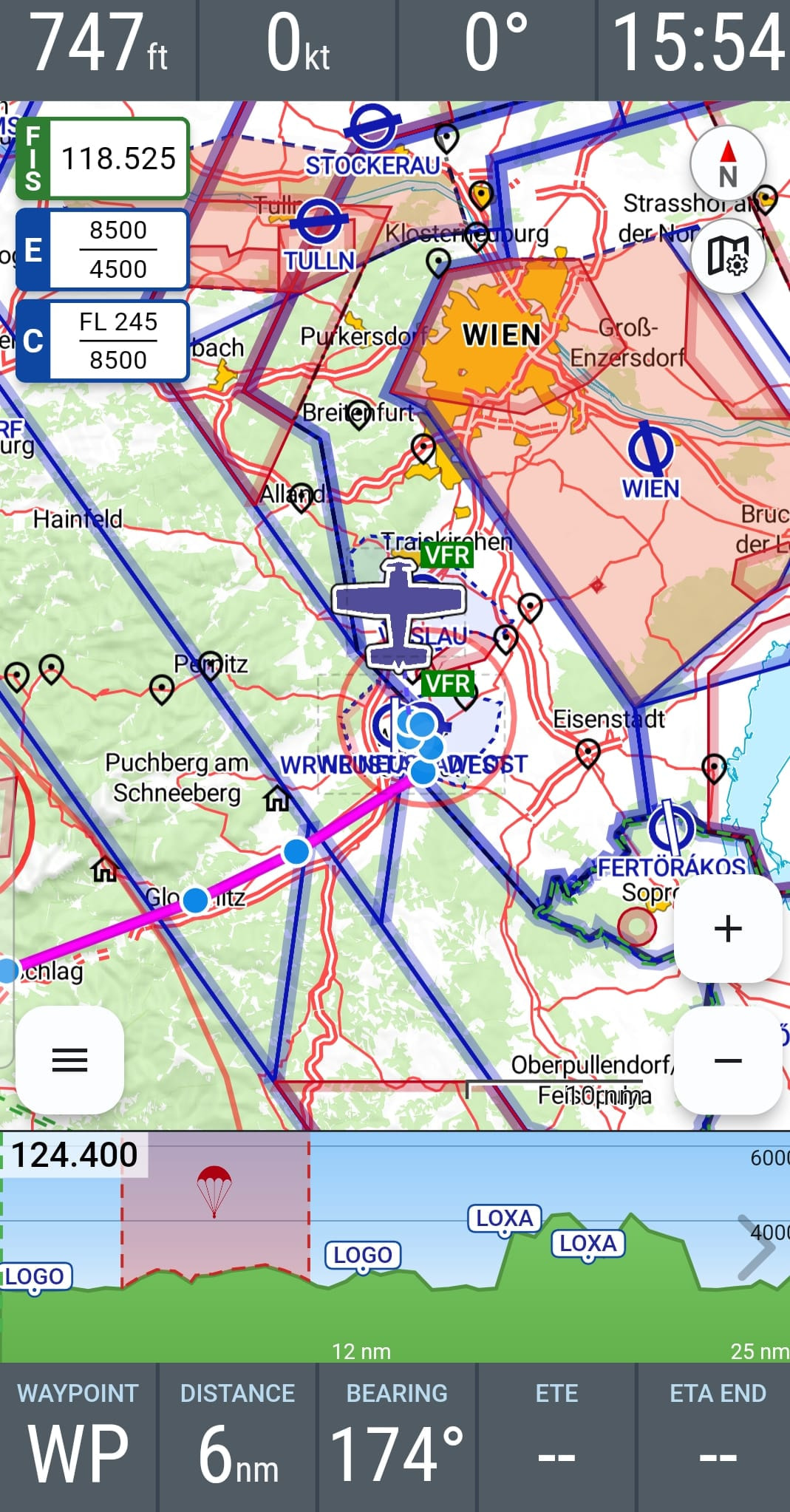
… visualizzazione dei campi informativi … ho attivato e in uso tutti e 9 \u0026 …
… in visualizzazione orizzontale del tablet sono tutti visibili …  … geniale …
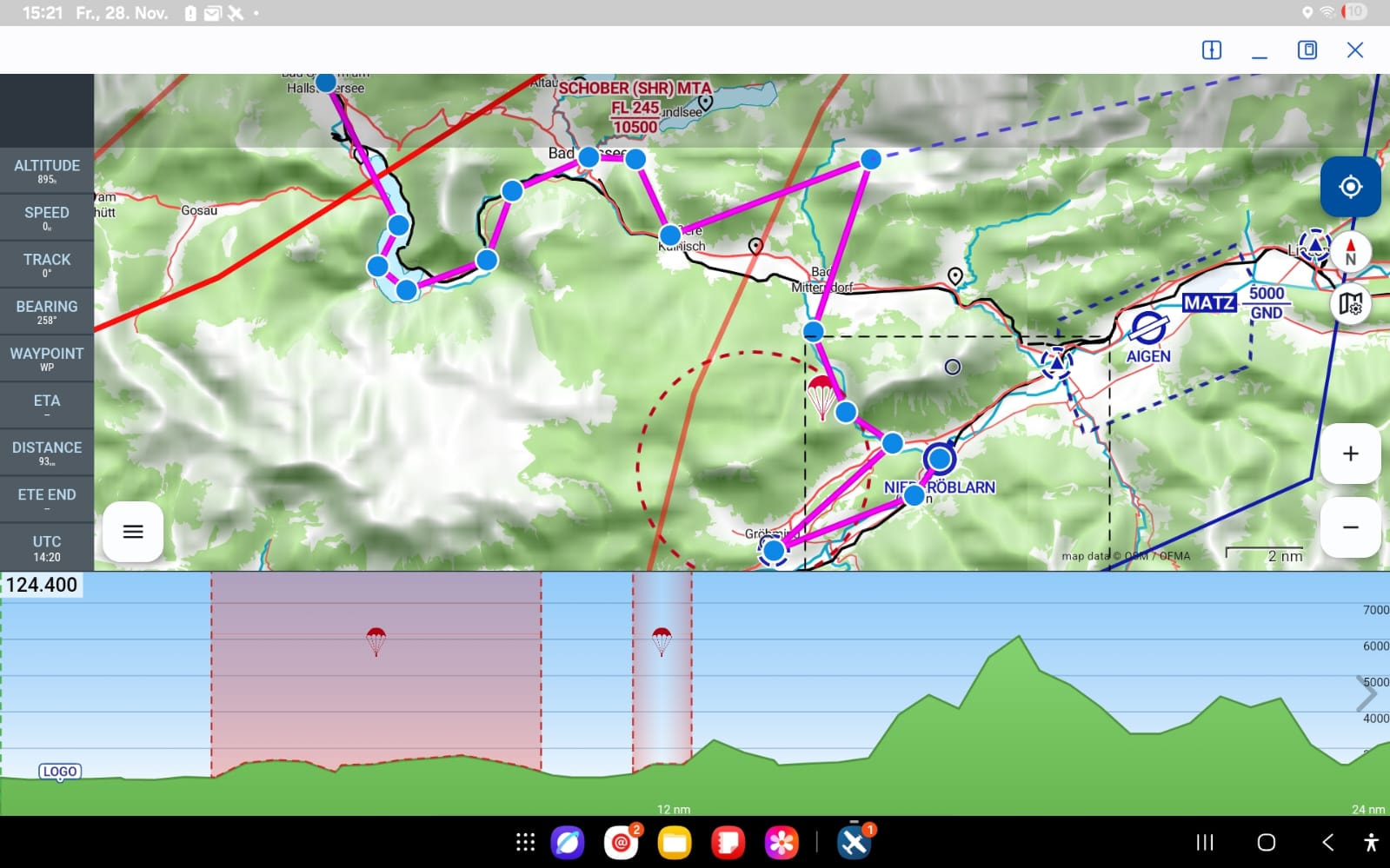
… in visualizzazione verticale del tablet - (che per motivi di spazio nella mia piccola scatola uso) - posso fare quello che voglio …. ottengo solo al massimo 7 campi informativi ….
(… indipendentemente da quale impostazione di dimensione per i campi informativi )
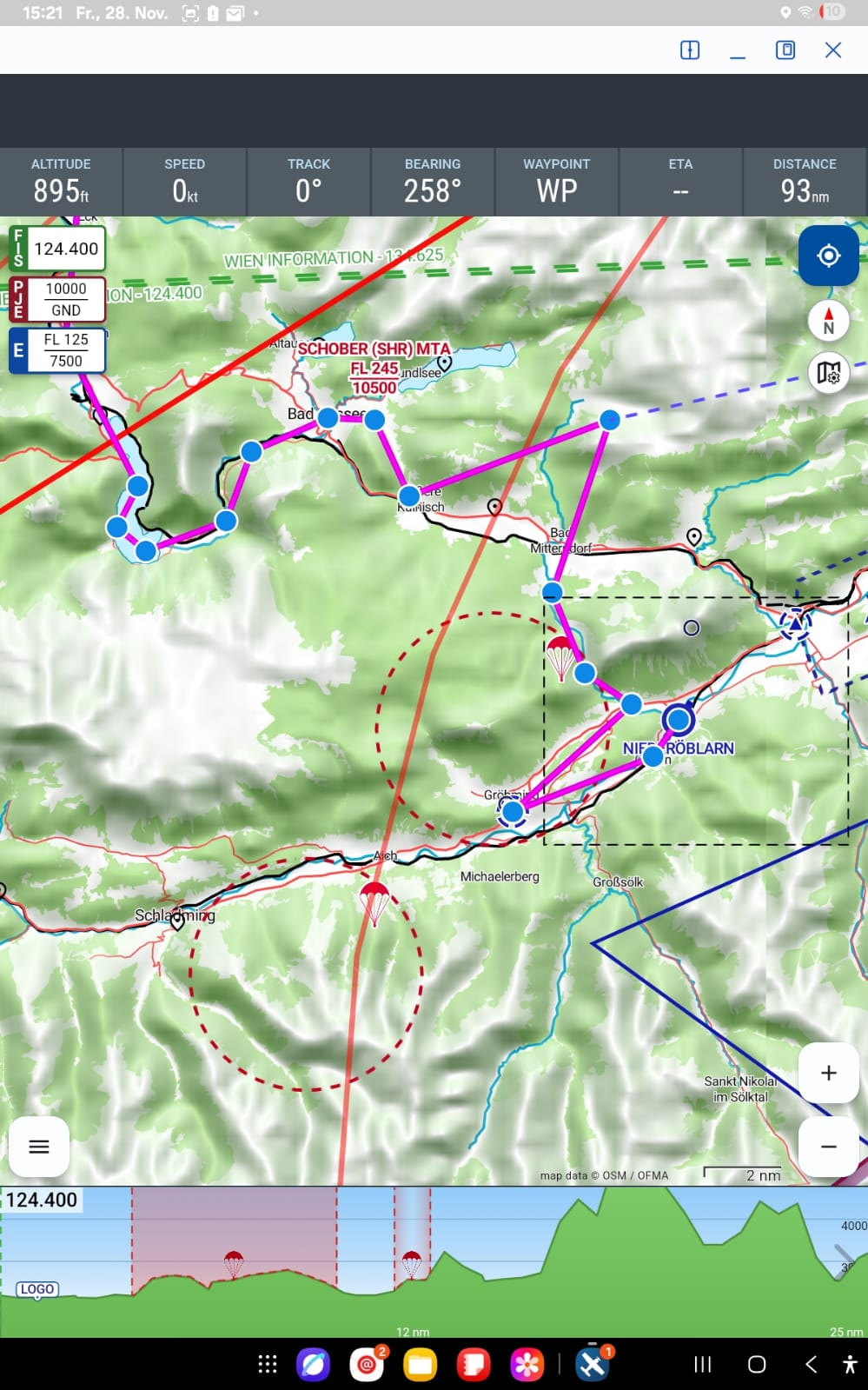
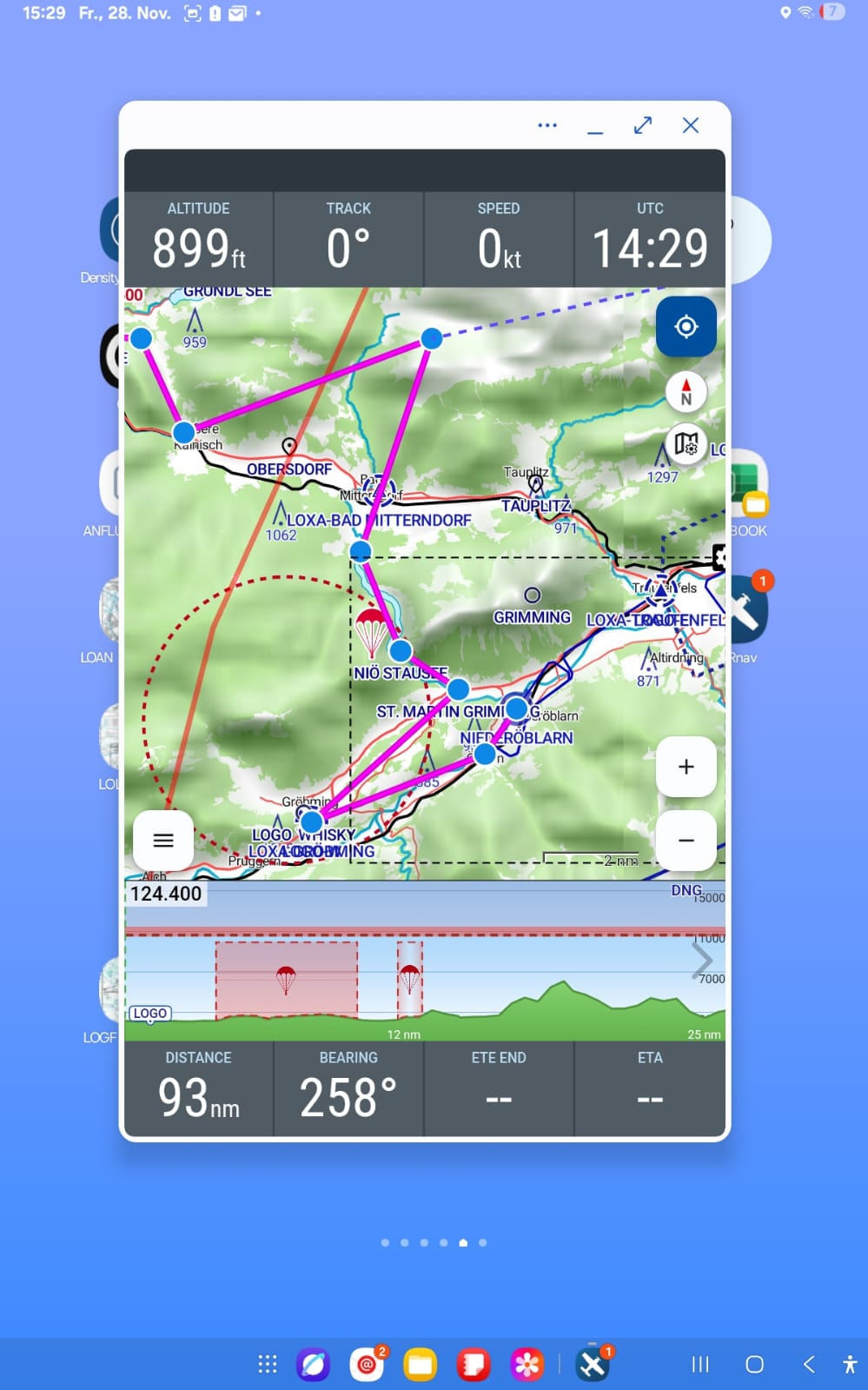
… a meno che non passi brevemente alla vista ridotta / “visualizzazione parziale” …. allora vedo 8 campi informativi … 4 in alto \u0026 4 in basso ….
 …
…
… andrebbe anche bene … ma quella visualizzazione parziale a me non piace davvero ..
e …. poi
… sul (Samsung Gal. - S21) invece appare diverso …… lì, in modalità verticale, ho tutti e 9 i campi informativi - suddivisi automaticamente - in alto e in basso …..
… così lo vorrei anche sul tablet ….
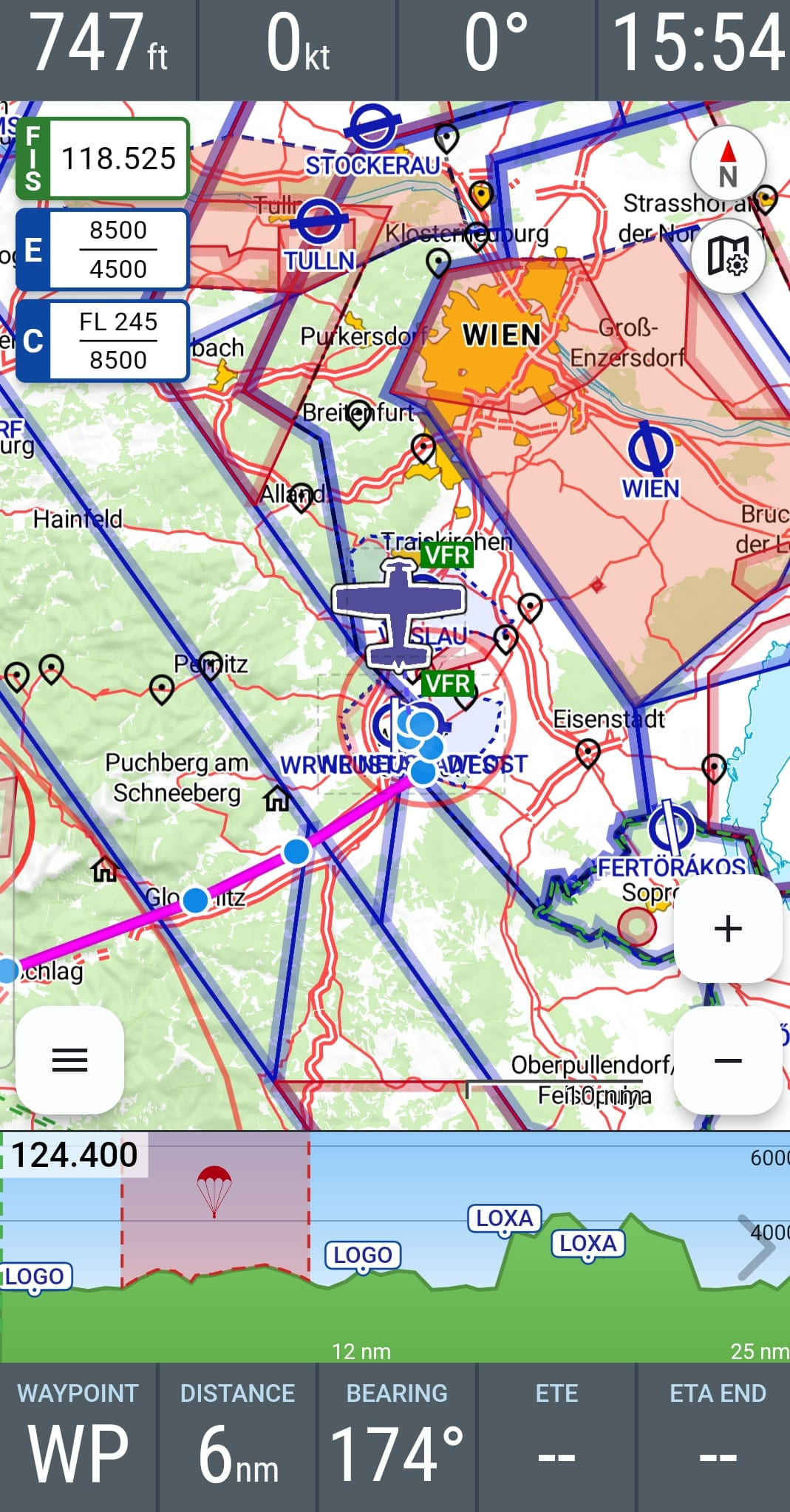
… come sul telefono cellulare (Samsung Gal. - S21) in visualizzazione orizzontale … sarebbe ok ..
… lì tutti i campi informativi sono automaticamente suddivisi a sinistra \u0026 a destra …
… e la sezione dello spazio aereo risulta un po’ più stretta ….
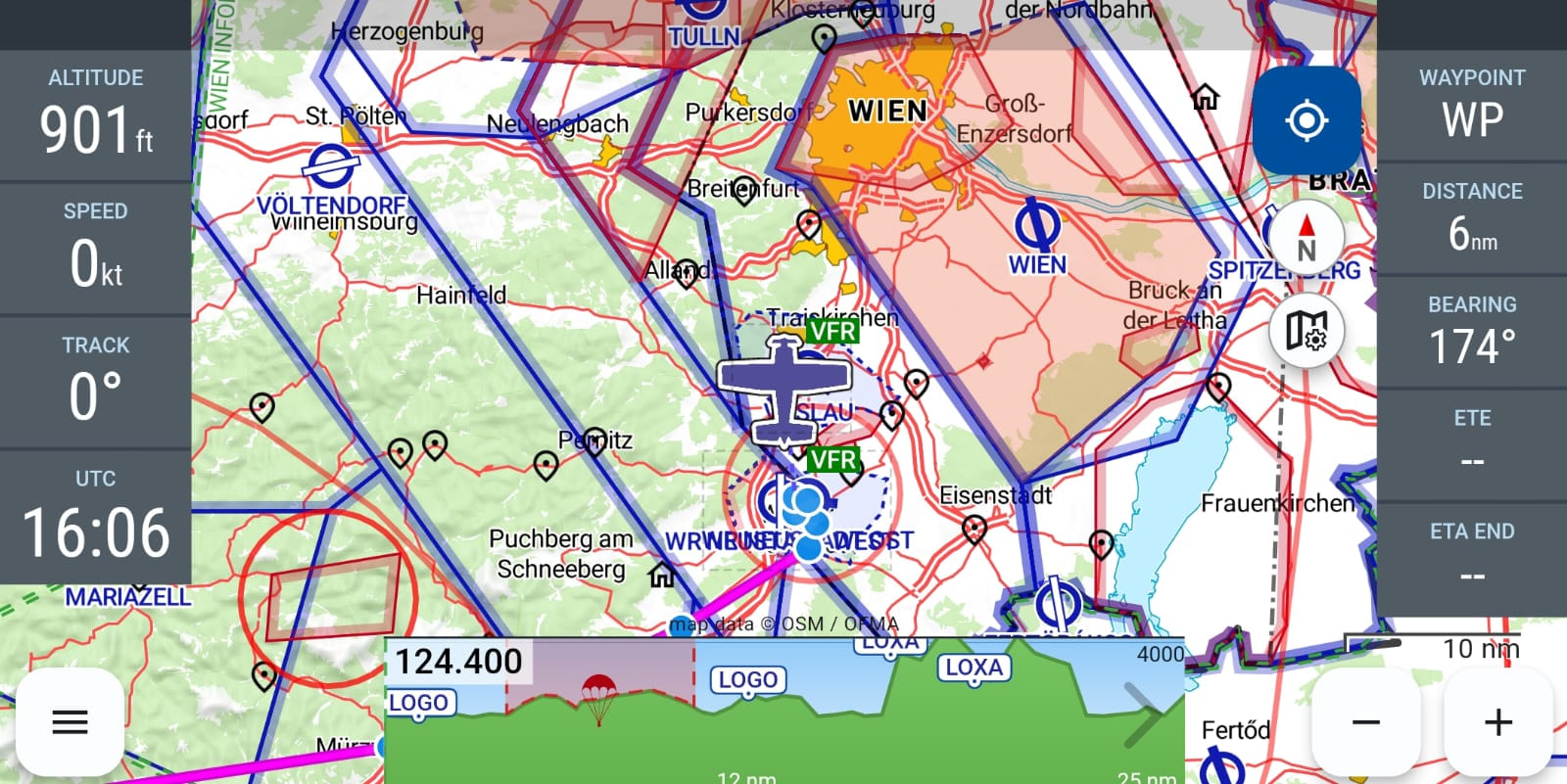
… posso fare qualcosa affinché sul tablet (Samsung A9) venga come sul telefono (Samsung Gal. - S21)?? !!
Ahoi
Andi
Ciao Andi,
Accidenti, ottima proposta con i propri WP nella suddivisione dello spazio aereo.  ..ne ho infatti anch’io moltissimi WP… però più all’estero.
Saluti aviatori,
Karsten
Ciao Andi,
Grazie mille per i tuoi suggerimenti di miglioramento! 
La visualizzazione dei propri waypoint nel taglio dello spazio aereo è in effetti già nella nostra lista delle cose da fare. Riprenderò l’argomento ancora una volta – magari questa integrazione riuscirà già a entrare nel prossimo aggiornamento.
Per la visualizzazione dei campi informativi:
VFRnav distingue tra un layout per tablet e un layout per smartphone, ciascuno ulteriormente suddiviso in orientamento verticale e orizzontale. L’obiettivo è scegliere numero e dimensione dei campi informativi in modo che restino utili e non diventino troppo piccoli.
Nella pratica, con la moltitudine di dispositivi, dimensioni e risoluzioni degli schermi, non è naturalmente sempre possibile rappresentarlo perfettamente. Perciò stiamo effettivamente pianificando di rendere i campi informativi in futuro ancora più configurabili — per esempio per quanto riguarda numero, dimensione e posizione.
Tuttavia, tecnicamente non è del tutto semplice.
Saluti di volo
Hermann
1 Mi Piace
…. Haihooo …
…. grazie per i tuoi / i vostri costanti sforzi per realizzare i nostri desideri / sogni …