Hi @FYG001 and welcome! 
For X-Plane, please use the following settings:
-
Open X-Plane and go to Data Output settings
-
Enable Network via UDP for the following indexes:
-
3 – Speed
-
17 – Pitch, roll & headings
-
20 – Latitude, longitude & altitude
-
-
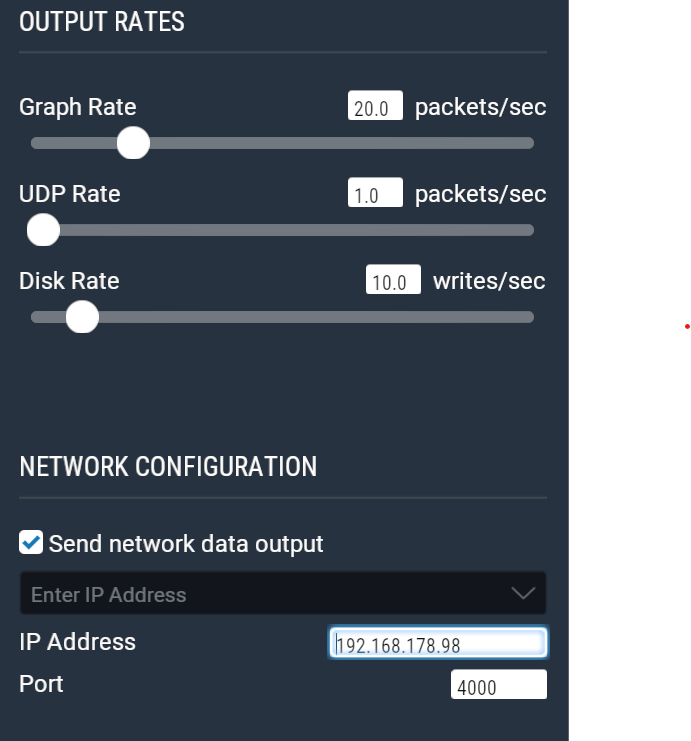
Set UDP Rate to 1 packet/sec
-
Enable Send network data output
-
Enter the local wifi IP address of your smartphone or tablet in the IP Address field
-
Set Port to 4000
This setup should work with both X-Plane 11 and X-Plane 12.