Hello,
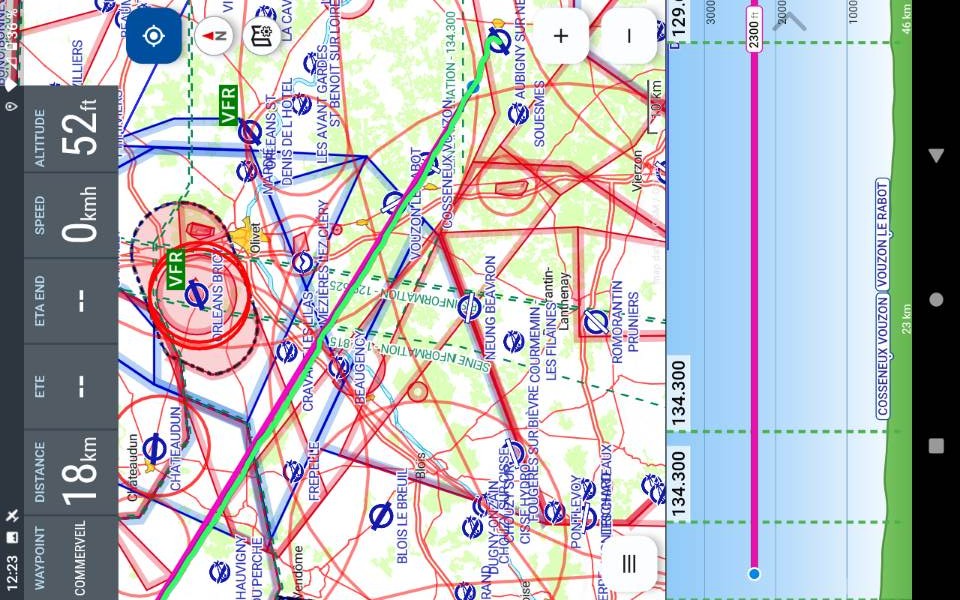
On my tablet, landscape mode no longer works with 4.30
So in smartphone (portrait) mode everything is OK — I have the top and bottom information fields, the profile,
But in tablet mode (horizontal/landscape) the screen doesn’t rotate, it stays in portrait (so lying on its side).
The information fields aren’t the tablet-mode ones and I only see five at the top, nothing elsewhere.
My Crosscall Core T4 tablet isn’t a great example when it comes to handling landscape and portrait modes, but I know it worked in 4.28
Any idea?
Safe flights!
Correction: I do have all the fields; some were simply disabled.
However, the display remains in portrait mode, regardless of whether I select Smartphone or Tablet mode.
H655
3
Hello Daniel,
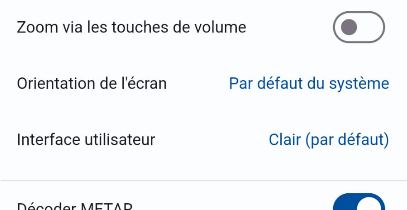
have you perhaps fixed the orientation in the settings under “Fonctions avancées”?
Blue skies
Hermann
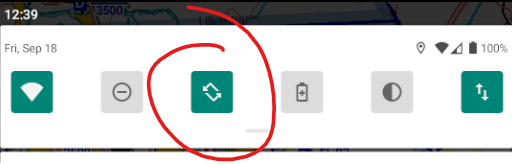
… or in the Android quick settings.
Maybe this helps.
Have a nice weekend 
fred
Yes Hermann, I confused the “smartphone and tablet” settings with the advanced settings 
Thanks  I put the “system” setting back and it’s working!
@+ Daniel