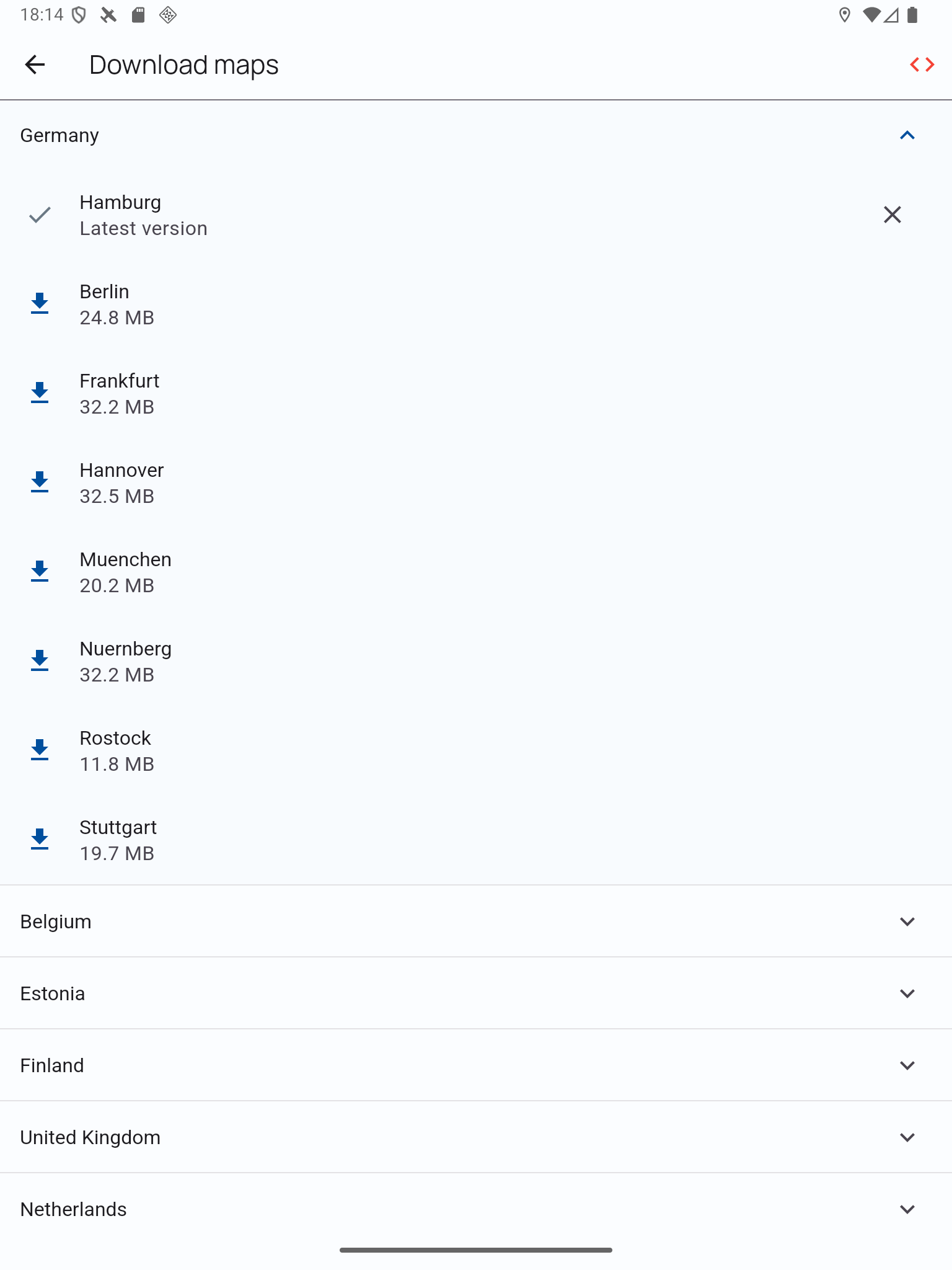
VFRnav includes map data for many countries in Europe.
To ensure maximum reliability, the maps are stored locally on the device. This means they remain fully usable even without an internet connection during the flight.
To reduce storage requirements, larger countries are divided into multiple regions. Each region represents its own map set – multiple map sets can be loaded and used in parallel.
Downloading and Managing Maps
-
Open Settings → Map Settings → Download Maps.
-
Select the desired regions. Already downloaded map sets are marked with a check mark.
-
Tap the X symbol on the right to remove a map set from the device.
Tip:
Download all required regions before a flight to ensure that maps and airspaces are fully available in offline mode.