It somehow seems to be related to elevation or zoom. If I raise the elevation scale by several thousand feet, it works again.
Really great update! I’m thrilled!
One question about the altitude profile, though: what climb rate is assumed there? If I quickly estimate: 1000ft/min?
I can hardly manage that  , could it possibly be made configurable per aircraft? It’s particularly relevant right before airspace boundaries.
Cheers, Martin
Yes, well spotted. 
I need to set the scale to around 7000ft to have a chance of moving the label. But it remains very difficult nonetheless.
With the maximum scale at 6000ft or less, it’s impossible to move the label.
But that’s not an issue for my use. I often change altitude during flight based on winds, NOTAMs and real-time military activations, so I don’t pay attention to what’s programmed.
Hello Daniel,
could you give me a short example route? I’d like to try to reproduce it. Maybe it’s related to the terrain elevation. With my test routes I don’t have the problem and of course it shouldn’t be like that 
Many thanks and best regards
Hermann
Edit:
I can reproduce it in hilly terrain! Thank you very much for the hint.
Up here in the lowlands we didn’t notice it.
Currently about 600 ft/min at 60 knots over ground. And yes — there will be a corresponding setting in the aircraft profile for that It’s on the ToDo list — but it’s not a priority at the moment.
I feel the same personally — especially on shorter routes. For that purpose you can disable the route altitude display in the VFRnav settings 
I have the same problem on the plains as well.
Not serious in my case, but I’m reporting it on principle in case it helps resolve the problem for others later.
Happy flying
1 Like
Take, for example, Speyer - Walldürn.
Hi Hermann,
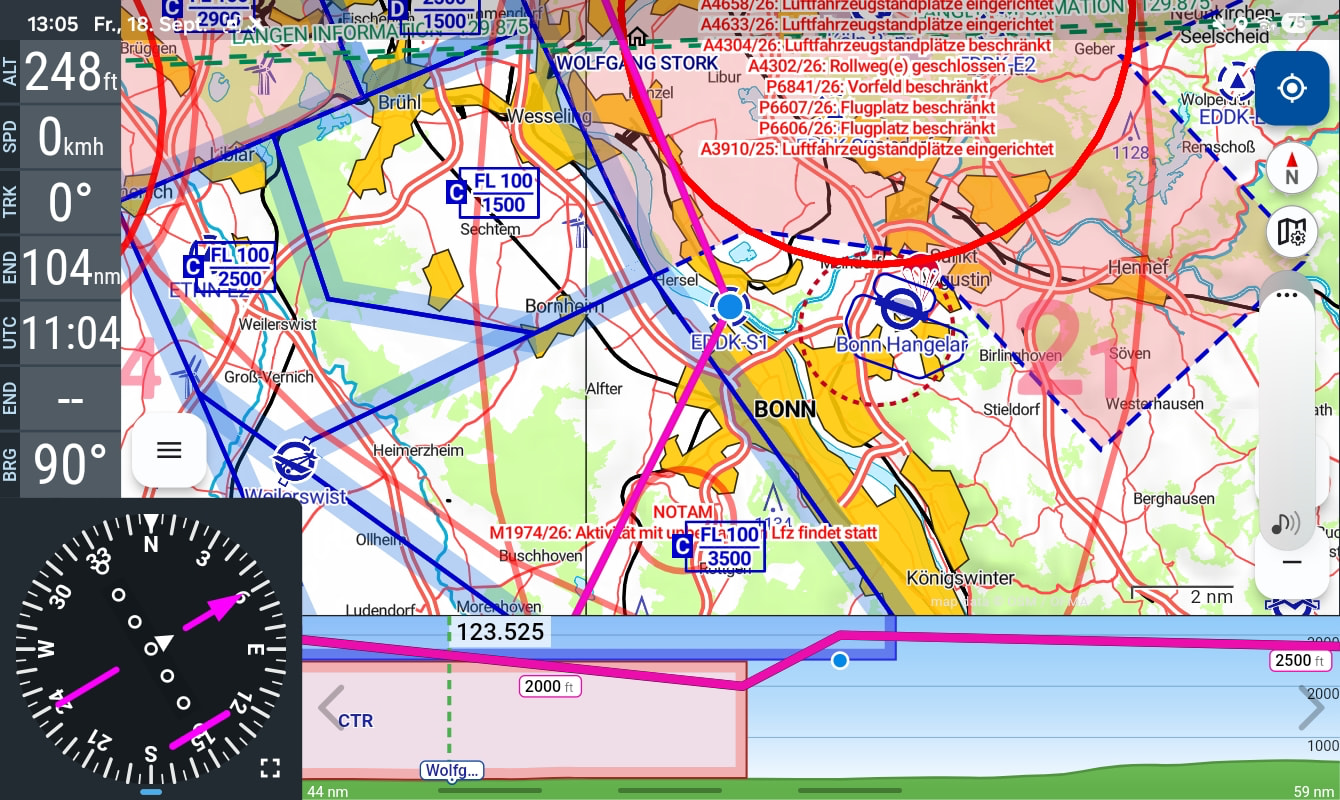
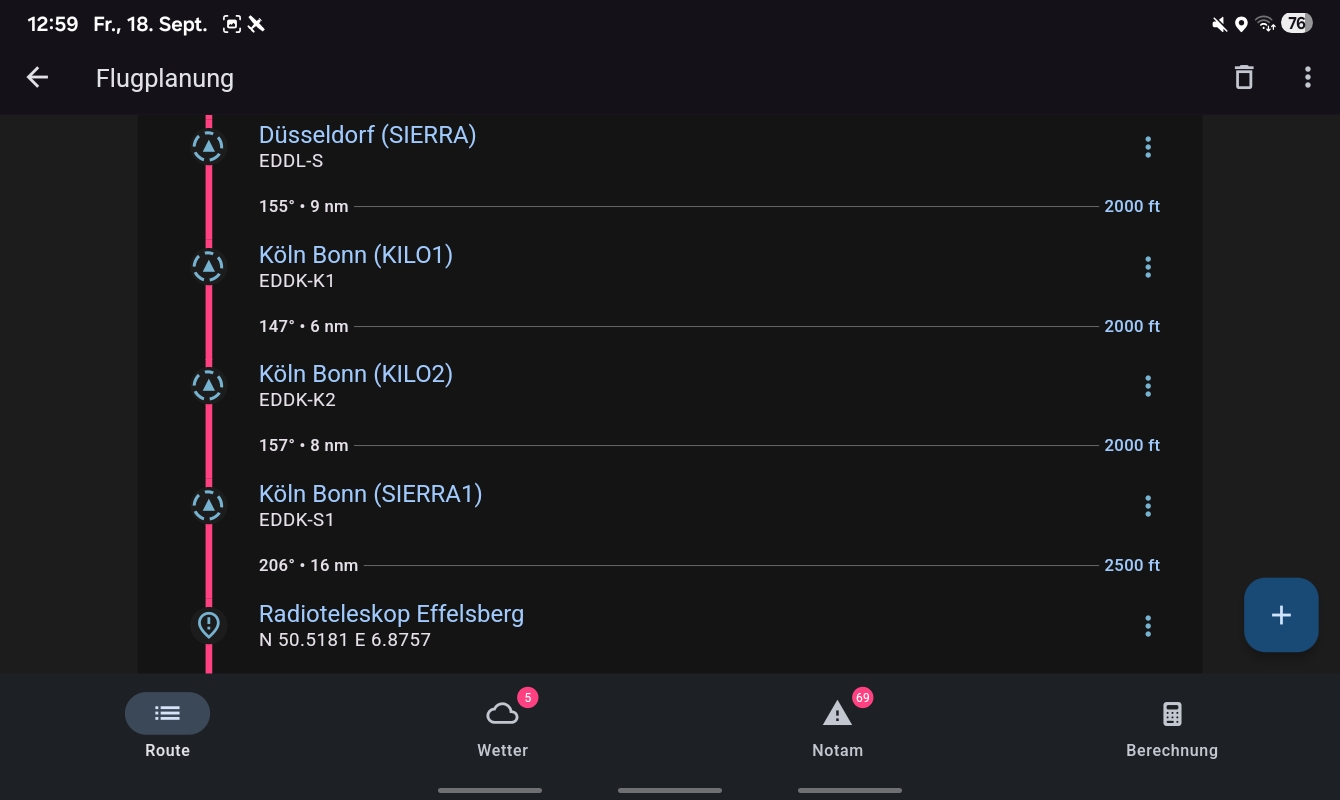
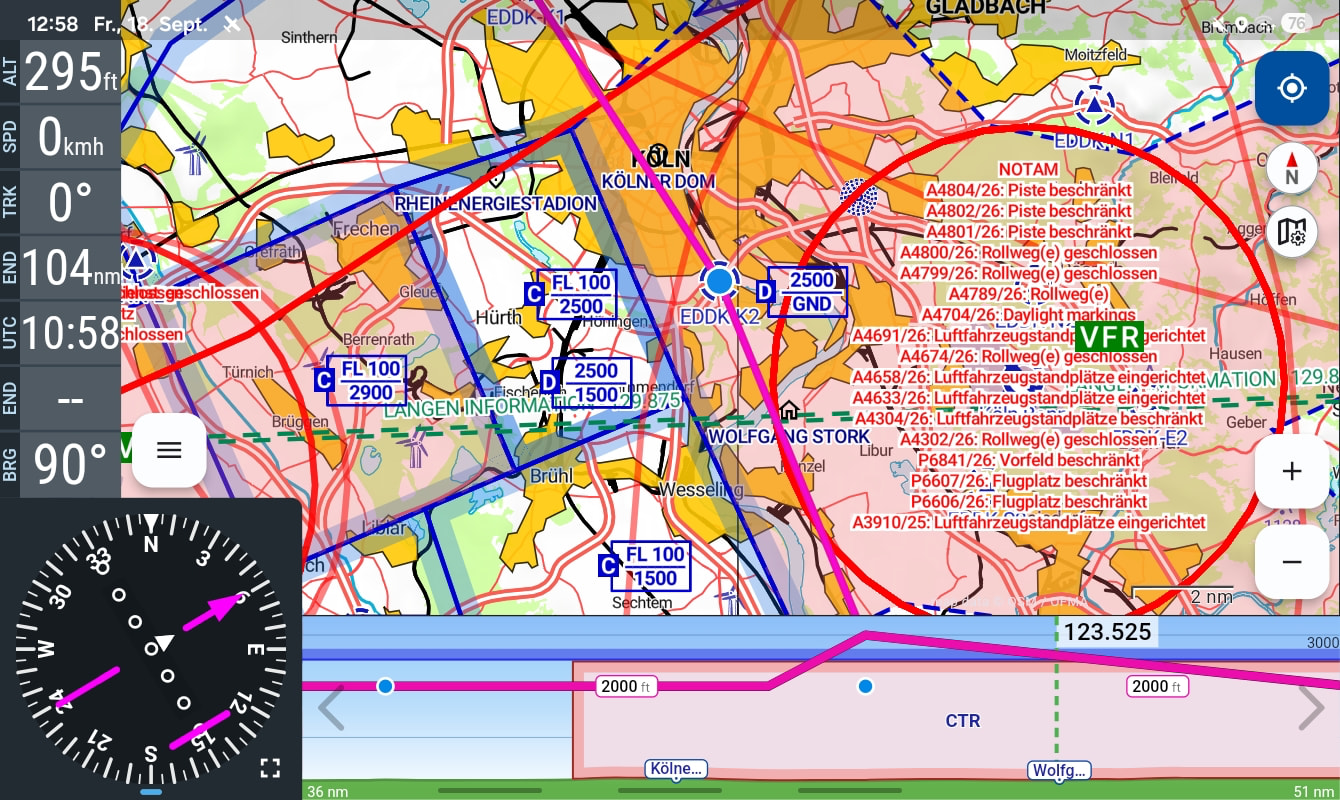
I don’t know whether this is a bug or an error on my side, but to me it looks like the former. In my vertical flight profile, the route makes altitude jumps over waypoints that aren’t actually in the route. For example, here is the segment through the Cologne-Bonn control zone, which I set to a constant 2000 ft in the flight plan and only climb back to 2500 ft after Sierra1. However, the displayed vertical route shows jumps up to 3000 ft. VFRnav version 4.30.1 and Android 16 on a Samsung A9 tablet.
Best regards
Stefan
Hello Stefan,
Thanks
In the flight planner, at the top of the menu — could you press “Share” there and email it as a GPX to mail@flugbetrieb.com? That makes it easier
Happy flying
Hermann
Edit:
All good — I already found it 
This occurs when the flight route contains a “sharp angle” near the end.
I’ll fix it today 
Great, thanks for the quick support… as always, awesome
The fix is here (4.30.2) and it works… once again WOW.. what a service
1 Like
Tip-top — perfect. Thank you very much for the quick service!
1 Like
Awesome! You guys are the best! The vertical profile in the route planner is finally here! Thanks for all the care you put into the app — it’s clearly built by pilots for pilots! Amazing!!! Keep it up!
1 Like
Thanks for these updates!
1 Like
It’s working now with the update 
Well done!