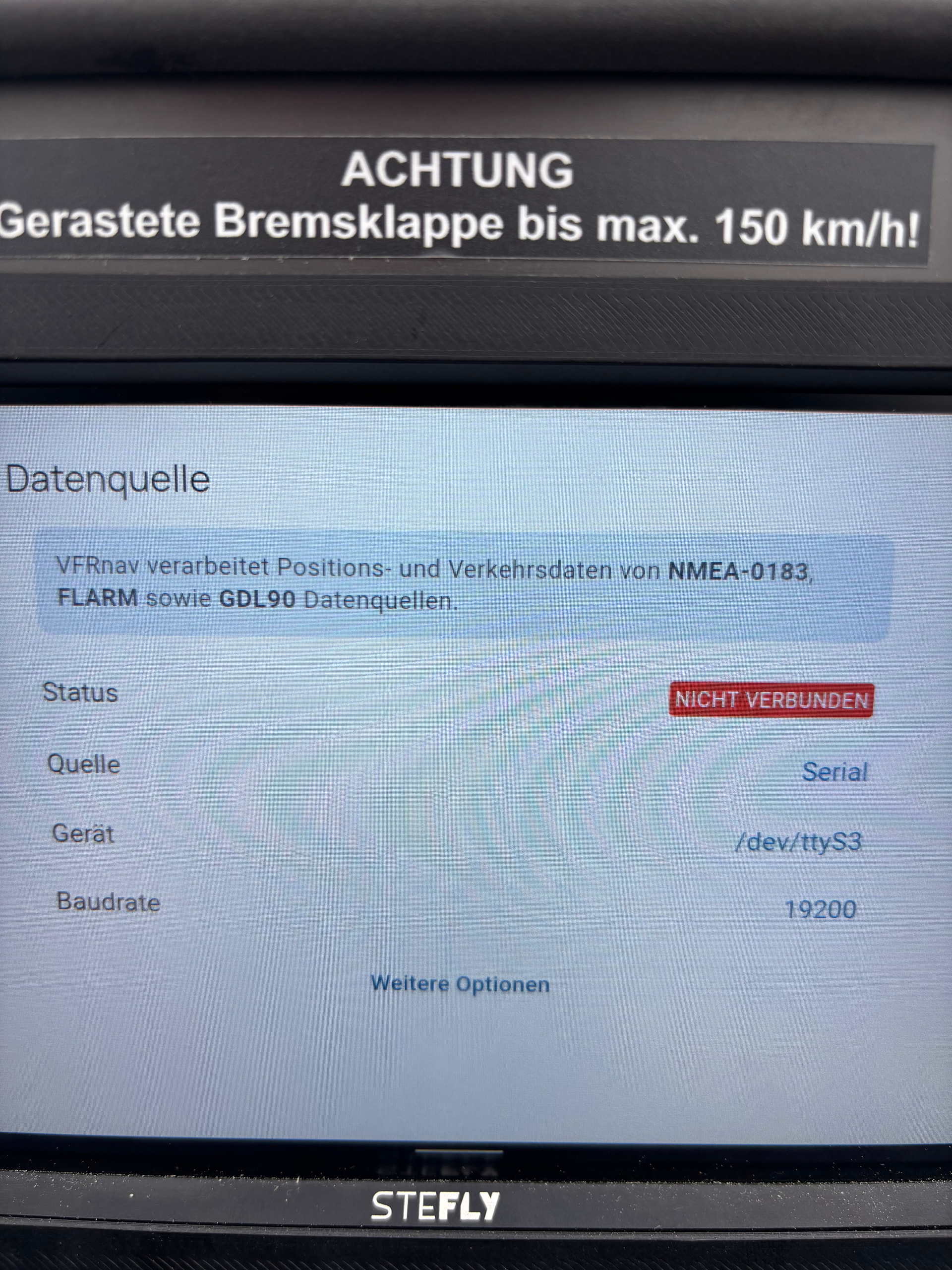
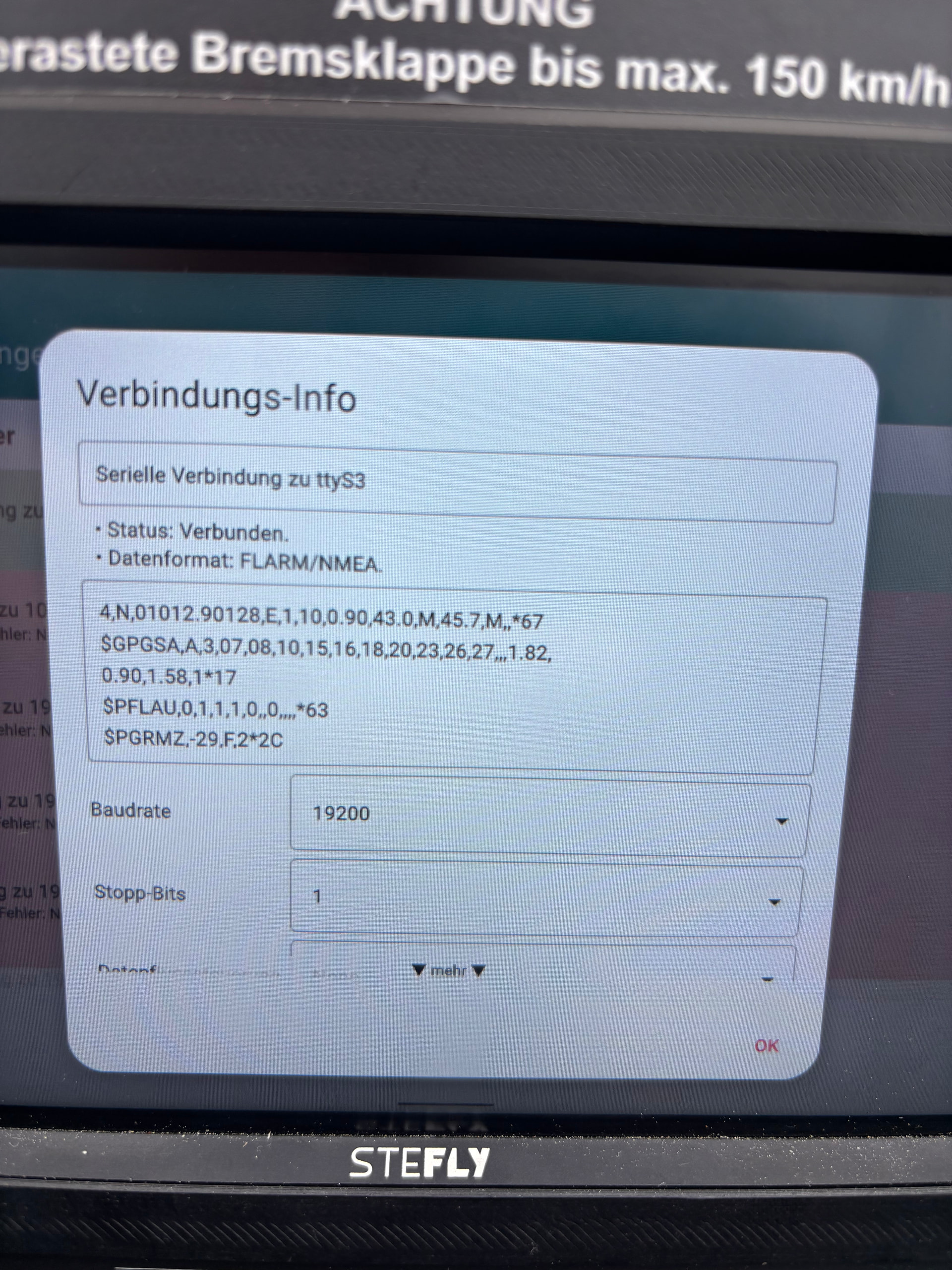
You can already connect FLARM and radios to VFRnav via a Bluetooth interface. Some devices additionally support serial RS232 interfaces, e.g. the SteFly Nav.
Via these interfaces it is possible, for example, to receive traffic data directly via cable from a FLARM as NMEA data and to control the radio directly without a Bluetooth adapter.
Currently, in VFRnav only Bluetooth and network can be selected as interfaces. It would be a great upgrade if the serial interfaces could also be used.
I already had contact last year with SteFly regarding a possible integration of hardware support into VFRnav. In principle we would be happy to do this. However, we need some additional technical information, because the serial interfaces cannot be simulated on the usual Android devices (smartphone/tablet).
At the time we were also offered a demo device, but after that there was no further contact and no device was sent.
If you like, you can contact the manufacturer to ask for appropriate support. Without suitable hardware, implementation on our side is unfortunately not possible.
Ah, I see! So that was you
I remember.
As I said - we’re happy to. But without further information we’re groping in the dark and an implementation attempt makes little sense.
Best regards, Herman
I was able to successfully test the update in March. As far as I remember, the serial interface was working fine at that time as well.
Now the motor glider is out of maintenance and we’re flying with the Stefly and VFRnav.
Unfortunately there’s still some problem establishing the connection:
If I start the device and VFRnav directly, the serial connection VFRnav - PowerMouse doesn’t work. In the settings it shows “Connected”, yet the message “no GPS” appears.
There is a reliable workaround:
Start XCSoar first (the serial connection is automatically established and works immediately)
Close XCSoar again
Start VFRnav
Now the serial connection works reliably.
Apparently the connection is somehow initialized, reset, or similar by XCSoar. This function seems to be missing in VFRnav.
Really strange behavior… I don’t fully understand it 100%, unfortunately. Maybe you can help?
We haven’t made any changes to the serial interface itself. With my test device the connection worked fine back then.
However, I have a suspicion:
What baud rate is set in XCSoar’s connection settings?
VFRnav currently uses the system default settings for the baud rate. If the connected device differs from that, the connection will not work correctly.
If another service — like XCSoar in your case — changes the baud rate, that value remains active as the new default until the next system restart.
Long story short:
The upcoming update will include a setting that allows the baud rate to be set directly within VFRnav. I’d ask you to test the serial connection again after that.
That sounds like a plausible theory — I’ll be happy to test it, of course! Thank you very much for adding the option to configure it in the upcoming update!
I was able to test the new software after the update.
Unfortunately no connection can be established and the workaround no longer works. In my opinion, that’s actually good news, because it indicates you were working in the right place
the “Not connected” message indicates that the port is already in use. For the serial connection, no two processes can access it at the same time. Please check that all other apps that have access to the serial connection are completely closed and not still running in the background.
With today’s 4.27, the serial connection has been made a bit more robust. I also managed to set up a test setup for it. That makes debugging considerably easier